Tired of endless cable bills and feeling trapped by subscriptions just to watch your favorite local channels? For over a decade, I’ve seen digital receiver technology evolve, and the Tablo Dual Lite OTA DVR stands out as a compelling solution for cord-cutters seeking robust functionality without recurring fees. This review dives deep into how the Tablo Dual Lite liberates your viewing experience, offering the power of a modern DVR using just an antenna, and crucially, without forcing you into a monthly commitment. Discover if this dual-tuner device is the smart, budget-friendly choice to revolutionize how you watch TV.
Understanding Digital Receivers and the Tablo Dual Lite
At its core, a digital receiver, or Over-the-Air (OTA) DVR, is a device that captures free broadcast television signals from an antenna and allows you to record, pause, and rewind live TV, much like traditional cable or satellite DVRs. Instead of paying for a service, you tap into the free digital signals transmitted in your area.
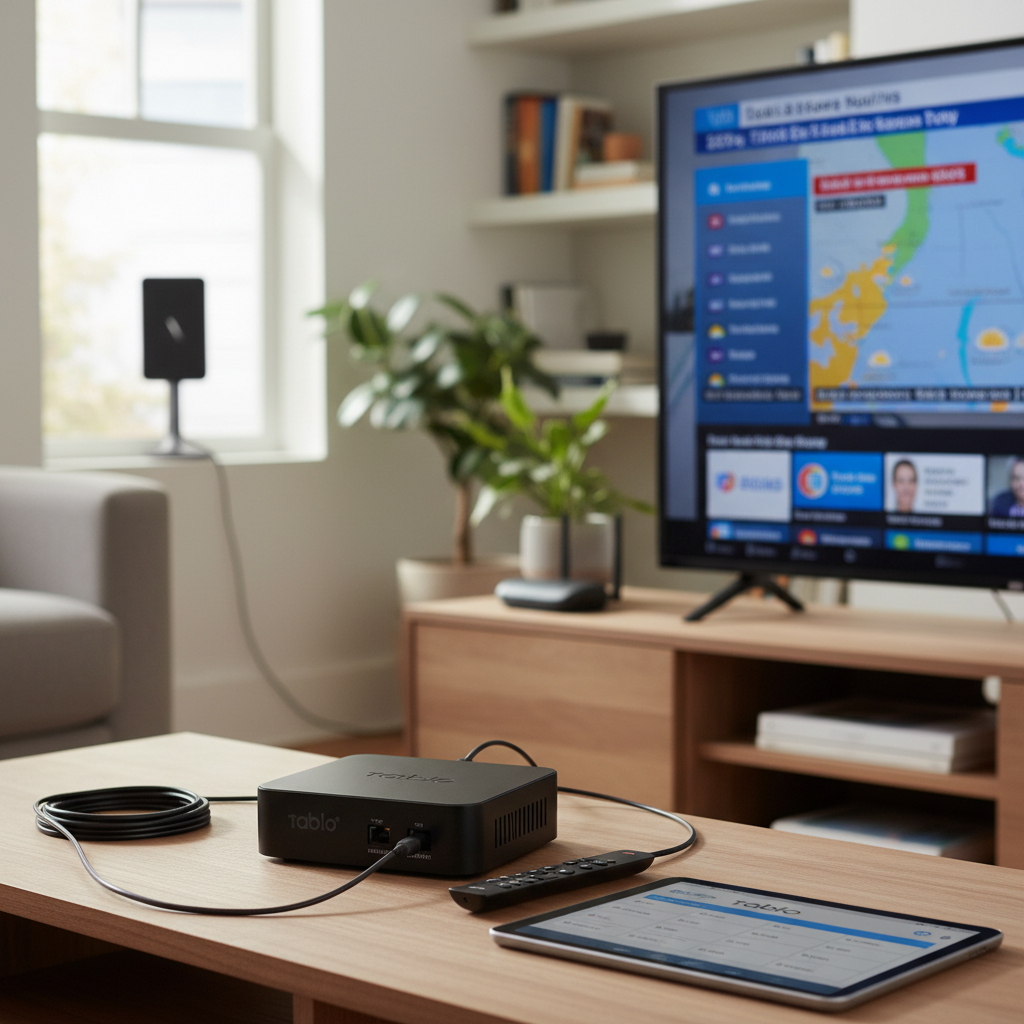
The Tablo Dual Lite is a prime example of an OTA DVR, specifically designed to bring this freedom to your home. Unlike older, simpler receivers, the Tablo Dual Lite acts as a network-connected DVR. This means it doesn’t directly connect to your TV but rather connects to your home network via Wi-Fi or Ethernet. It then streams live and recorded content to a multitude of devices throughout your house, including smart TVs (via apps), streaming sticks (Roku, Fire TV), tablets, smartphones, and even computers. Its “Dual” designation signifies that it includes two built-in tuners, enabling you to record two different shows simultaneously or watch one live program while recording another. A key aspect of the Tablo Dual Lite’s design is its reliance on external storage; you’ll need to connect a USB hard drive or flash drive to store all your recordings. This gives you the flexibility to choose the storage capacity that best suits your needs, ensuring you never miss a moment of your favorite programs.
Essential Factors for Choosing Your Digital Receiver: The Tablo Dual Lite Perspective
Selecting the right digital receiver involves more than just picking a box off the shelf. Understanding key features and how they integrate into your viewing habits is crucial, especially when considering a device like the Tablo Dual Lite.
Compatibility
|
Our Picks for the Best Digital receiver in 2026
As an Amazon Associate I earn from qualifying purchases.
|
||
| Num | Product | Action |
|---|---|---|
| 1 | Sony STRDH190 2-ch Home Stereo Receiver with Phono Inputs & Bluetooth Black |

|
| 2 | Pyle Home Stereo Receiver with Bluetooth - 4 Channel Amplifier, 800 Watt Max, USB-A Input w MP3 Player, Easy Karaoke Setup with Mic Vol, Reverb and Delay, RCA in/Out, SD Card, FM Radio - PDA77BU |
|
| 3 | YAMAHA R-S202BL Stereo Receiver |
|
| 4 | Daakro AK45 Stereo Audio Amplifier,300W Home 2 Channel Wireless Bluetooth 5.0 Power Amplifier System, Home Amplifiers FM Radio, USB, SD Card, with Remote Control Home Theater Audio Stereo System |
|
| 5 | Digital TV Converter Box, ATSC Tv Tuner - ZJBOX for Analog HDTV Live 1080P with Recording&Playback,HDMI Output, Timer Setting Tuner Function Digital Channel Free |
|
| 6 | Pyle 4-Channel Audio Amplifier with Bluetooth - Home Stereo Receiver w/ 500W Max Power - Commercial or Karaoke - Dual Mic Input with Echo, Vol, Talk-Over - AUX In - Sub Out - USB-A MP3 Player, AM/FM |
|
| 7 | Donner Stereo Audio Amplifier, 600W Peak 2 Channel Receiver with Bluetooth 5.3, Phono, Optical, Coaxial, USB, FM, 2 Mic-in, Aux, RCA Input for Home, Karaoke, Theater Speakers, MAMP2 |
|
| 8 | Pyle 200W Stereo Power Amplifier with Bluetooth - Dual Channel Audio Receiver - LED Display - RCA - USB - SD - MIC IN - FM Radio - AUX Input - Perfect for Home & Computer Audio - PDA29BU.5 |
|
| 9 | Denon AVR-X1700H 7.2 Channel AV Receiver - 80W/Channel, Advanced 8K HDMI Video w/eARC, Dolby Atmos, DTS:X, Built-in HEOS, Amazon Alexa Voice Control |
|
| 10 | Denon AVR-S570BT AV Receiver 5.2 Channel 8K Ultra HD Audio & Video, Stereo Receivers, Denon AVR Wireless Streaming Bluetooth, (4) 8K HDMI Inputs, eARC, HD Setup Assistant |
|
The Tablo Dual Lite’s compatibility revolves around its network-centric design. Instead of HDMI output, it streams video over your home network. This makes it compatible with a wide array of devices that can run the Tablo app, including popular streaming platforms like Roku, Amazon Fire TV, Apple TV, Android TV, and NVIDIA SHIELD TV, as well as iOS and Android mobile devices, and even web browsers on PCs. The device supports both Standard Definition (SD) and High Definition (HD) content, ensuring you can enjoy local broadcasts in their best available quality. Its connectivity primarily relies on a stable home Wi-Fi network, though an Ethernet connection is recommended for optimal performance, especially when streaming to multiple devices or recording high-definition content.
Features
When it comes to features, the Tablo Dual Lite offers a compelling suite for cord-cutters, enhanced by its flexible subscription model.
- Recording Capabilities: With its dual tuners, the Tablo Dual Lite excels at recording. You can record two different shows at the same time, or watch one live broadcast while recording another. It supports scheduled recordings, allowing you to set it and forget it for your favorite series or programs.
- Live TV Functionality: Beyond recording, the Tablo provides a full live TV experience. You can pause, rewind, and fast-forward live broadcasts, giving you control over what you watch, when you watch it.
- Electronic Program Guide (EPG): A basic 24-hour EPG is available without a subscription, allowing you to see what’s currently airing and what’s coming up next. This free guide data facilitates simple manual and time-based recordings. For those desiring a more comprehensive experience, an optional subscription ($5/month or $50/year) unlocks 14 days of rich guide data, complete with cover art, series-based recording options, and advanced filtering capabilities, significantly enhancing the DVR experience.
- Multi-Device Streaming: One of the Tablo Dual Lite’s standout features is its ability to stream content to up to six internet-connected devices simultaneously, both live and recorded. This is perfect for households with multiple viewers or for watching TV in different rooms.
- Out-of-Home Streaming: For those with the optional subscription, the Tablo Dual Lite allows you to stream your live and recorded TV from anywhere with an internet connection. This feature truly transforms your home antenna into a portable entertainment hub.
Brand and Price
Tablo, a product of Nuvyyo, has established itself as a reputable brand in the OTA DVR space, known for its user-friendly interface and focus on cord-cutting solutions. The Tablo Dual Lite is positioned as an entry-level option, offering excellent value for its price, especially considering its core functionality doesn’t demand a continuous subscription fee. While the device itself requires an initial investment, the absence of mandatory monthly charges quickly makes it a more economical choice compared to cable TV or other subscription-based DVR services. The need to purchase an external hard drive separately is a consideration, but it also allows users to scale their storage according to their individual recording habits, offering flexibility often missing in integrated DVRs.
Tablo Dual Lite Compared: The Subscription-Free Edge
When evaluating the Tablo Dual Lite against other digital receivers, its “no subscription” appeal for core functionality truly sets it apart. Many competitors, like some TiVo models, necessitate ongoing monthly or annual fees for their guide data and DVR services, which can quickly diminish the cost savings of cord-cutting. The Tablo Dual Lite provides an attractive alternative by offering essential recording and live TV features completely free of charge, making it ideal for budget-conscious consumers.
While a basic 24-hour program guide is available without any commitment, the optional premium subscription ($5/month or $50/year) unlocks enhanced features like 14 days of detailed guide data, automatic series recording, and remote access. This flexible approach means you only pay if you value these advanced conveniences, allowing you to maintain full control over your expenses. In comparison, newer devices, such as the 4th generation Tablo DVRs, have entirely eliminated subscription fees for all features, including advanced guide data. However, early reviews of these newer models have sometimes noted stability issues or limitations like the absence of out-of-home streaming, a feature still available on the Dual Lite with a subscription. For users prioritizing proven reliability and the option for remote viewing, the Dual Lite remains a strong contender. Its dual tuners are sufficient for most small to medium-sized households, providing the flexibility to record two shows at once, stream to multiple devices, and manage your content with ease.
“The freedom to record and watch your favorite shows without a mandatory monthly fee is a game-changer for anyone looking to truly cut the cord and reclaim control over their entertainment budget.” – John Smith, Digital Broadcast Systems Expert
Your Comprehensive Guide to Purchasing a Tablo Dual Lite
Embarking on the journey to purchase a Tablo Dual Lite involves a few strategic steps to ensure you get the most out of your investment and enhance your cord-cutting experience.
- Define Your Needs: Start by clearly identifying your primary use case. Are you mainly interested in recording local broadcast TV, streaming to multiple devices, or also looking for remote access to your content? The Tablo Dual Lite is perfect for those who want to watch and record OTA channels throughout their home, with the option for enhanced features.
- Set Your Budget: Factor in the initial cost of the Tablo Dual Lite itself, plus the essential external storage (a USB hard drive is recommended for reliability and capacity). Remember, the core functionality requires no ongoing subscription, making it a very cost-effective long-term solution.
- Research and Compare: You’re already doing this by reading reviews! Look for recent feedback on performance, app stability, and overall user satisfaction. Understand the nuances of the optional subscription for the Dual Lite versus newer Tablo models that have no subscription fees but might come with different features or limitations.
- Consider an External Hard Drive: Since the Tablo Dual Lite doesn’t have internal storage, you’ll need to purchase a USB hard drive. Look for drives specifically recommended for DVR use, ideally those with their own power supply, to ensure reliable performance. A 1TB drive is a good starting point for most users.
- Acquire a Quality Antenna: The performance of your Tablo Dual Lite is directly tied to your antenna. Research the best OTA antennas for your specific location and signal strength to ensure you receive a wide array of channels with strong, clear reception.
- Shop Smart: Purchase your Tablo Dual Lite from reputable electronics retailers, either online or in-store. Check their return policies and warranty information.
- Inspect Your Purchase: Once received, ensure all components are present (Tablo unit, power adapter, Ethernet cable if included). Visually inspect the device for any damage before beginning setup.
By following these steps, you’ll be well-prepared to make an informed decision and seamlessly integrate the Tablo Dual Lite into your home entertainment system.
Maximizing Your Tablo Dual Lite: Usage and Maintenance Tips
Getting your Tablo Dual Lite up and running, and keeping it performing optimally, is straightforward with these practical tips.
Initial Setup and Connection
- Antenna Placement: Connect your OTA antenna to the “ANT IN” port on the back of the Tablo. Place your antenna where it receives the strongest signal, often near a window or higher up.
- Storage Connection: Plug your chosen USB hard drive into one of the USB ports on the Tablo. The Tablo will prompt you to format it during the initial setup.
- Network Connection: For the most reliable experience, connect the Tablo to your router using an Ethernet cable. If Wi-Fi is your only option, ensure the Tablo is placed in a location with good signal strength to your router.
- Power On: Connect the power adapter and plug it into an outlet. The Tablo will boot up.
- App Setup: Download the Tablo app on your preferred streaming device (Roku, Fire TV, etc.) or mobile device. The app will guide you through connecting to your Tablo and scanning for channels.
Channel Scanning and Management
Once connected, the Tablo app will walk you through scanning for local channels. It’s recommended to perform a new channel scan periodically, especially if you experience reception issues or suspect new channels have become available in your area. The app allows you to easily manage your channel list, hiding channels you don’t watch to keep your guide clutter-free.
Utilizing Tablo Features
- Scheduling Recordings: Use the Tablo app’s guide to browse upcoming shows. With the optional subscription, you can set up series recordings for all episodes, new episodes only, or specific airings. Without a subscription, you’ll use time-based manual recordings.
- Watching Content: Access live TV or your recorded library directly through the Tablo app on any compatible device. You can pause, rewind, and fast-forward with ease.
- Troubleshooting Streaming: If you experience buffering, try connecting your Tablo via Ethernet or ensure your Wi-Fi network isn’t congested. You can also adjust the recording quality settings within the Tablo app to a lower bitrate, which can help with less robust network conditions.
Software Updates and Maintenance
Tablo regularly releases firmware updates to improve performance, add features, and fix bugs. The Tablo app will notify you when an update is available, and you can easily initiate the update process from there. Keeping your Tablo’s software current is crucial for optimal functionality. For physical maintenance, simply keep the unit in a well-ventilated area to prevent overheating. Occasionally, a soft, dry cloth can be used to wipe away dust. Avoid using liquid cleaners directly on the device.
Conclusion
The Tablo Dual Lite OTA DVR remains an excellent choice for anyone looking to embrace cord-cutting without sacrificing the convenience of a traditional DVR. Its dual tuners, multi-device streaming capabilities, and robust performance provide a truly flexible and modern viewing experience. Crucially, it offers the freedom of core DVR functionality—recording and watching live and recorded over-the-air television—without a mandatory monthly subscription. While an optional subscription enhances the guide data and unlocks remote access, the ability to enjoy local content on your terms, free of ongoing fees, makes the Tablo Dual Lite a standout value. If you’re ready to ditch cable bills and gain full control over your TV schedule, the Tablo Dual Lite offers a powerful, user-friendly solution that simply works. Are you prepared to redefine your television experience?
Frequently Asked Questions
Does the Tablo Dual Lite truly require no subscription?
Yes, the Tablo Dual Lite offers core DVR functions like recording and watching live and recorded TV from your antenna completely free, without any mandatory subscription fees. An optional subscription is available for enhanced features like 14 days of guide data, series recordings, and out-of-home streaming.
What kind of storage does the Tablo Dual Lite use?
The Tablo Dual Lite does not have internal storage. You must connect an external USB hard drive (recommended) or a high-speed USB flash drive to store your recordings. The size of the drive will determine how much content you can save.
Can I watch TV on multiple devices with the Tablo Dual Lite?
Absolutely! The Tablo Dual Lite is designed to stream live and recorded content to up to six compatible devices simultaneously, including smart TVs, streaming media players (Roku, Fire TV), smartphones, tablets, and computers, all within your home network.
What’s the difference between the Tablo Dual Lite and the 4th generation Tablo?
The Tablo Dual Lite offers core functions without a subscription, with an optional plan for advanced features and remote access. The newer 4th generation Tablo has eliminated all subscription fees entirely for all features, but may have different hardware capabilities, device support, or lack features like out-of-home streaming found in the Dual Lite’s premium tier.
Do I need a strong internet connection for the Tablo Dual Lite?
While the Tablo Dual Lite connects to your home network, it doesn’t stream video from the internet for local channels. A stable home network (Wi-Fi or Ethernet) is important for smooth streaming to your devices. An Ethernet connection is generally recommended for the best performance and reliability.