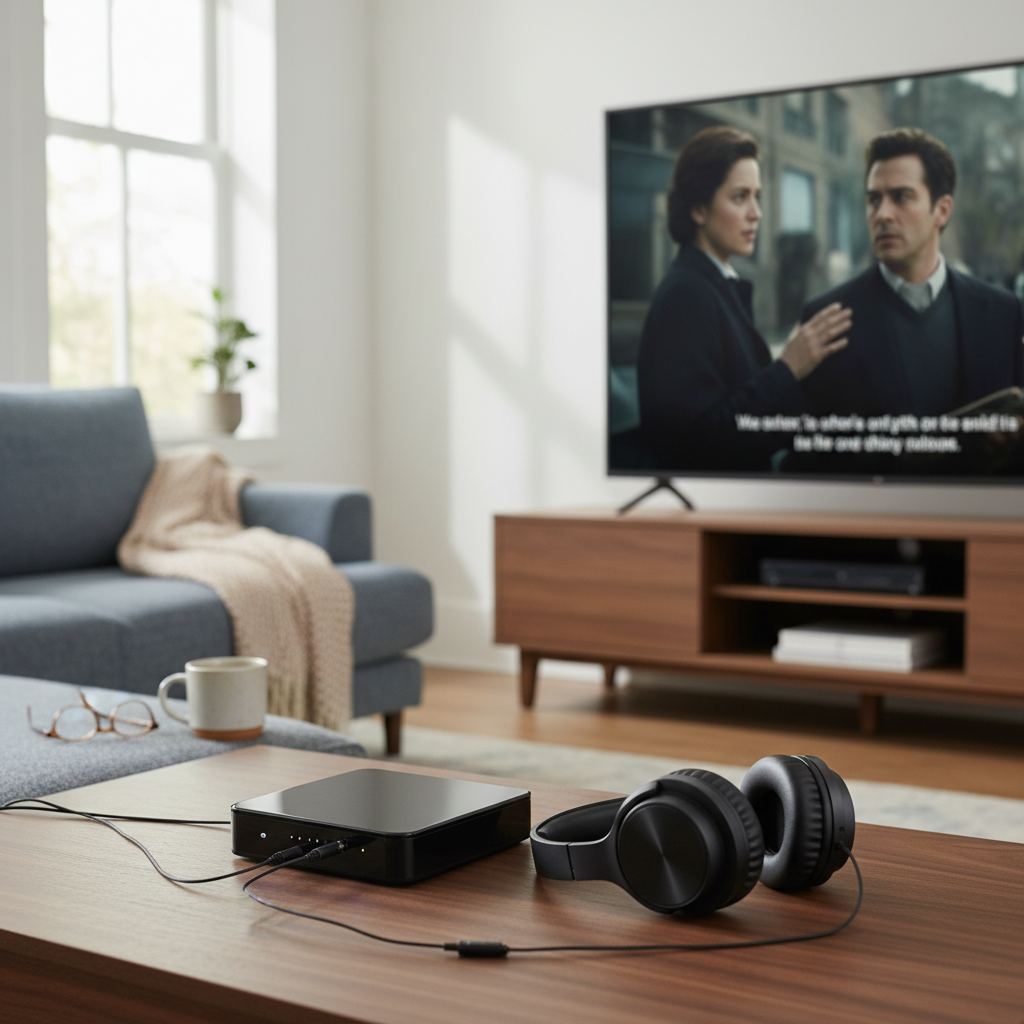
In an era dominated by smart TVs and streaming services, many households still cherish their reliable older analog television sets. However, the transition to digital broadcasting left these trusty screens unable to receive modern over-the-air (OTA) signals. This is where digital converter boxes like the Strom 504 step in, bridging the gap between today’s digital transmissions and yesterday’s analog displays. But does the Strom 504 Digital Converter Box genuinely deliver a seamless viewing experience, or are there hidden caveats? Let’s dive deep into its capabilities and see if it’s the right choice for your setup.
What is the Strom 504 Digital Converter Box?
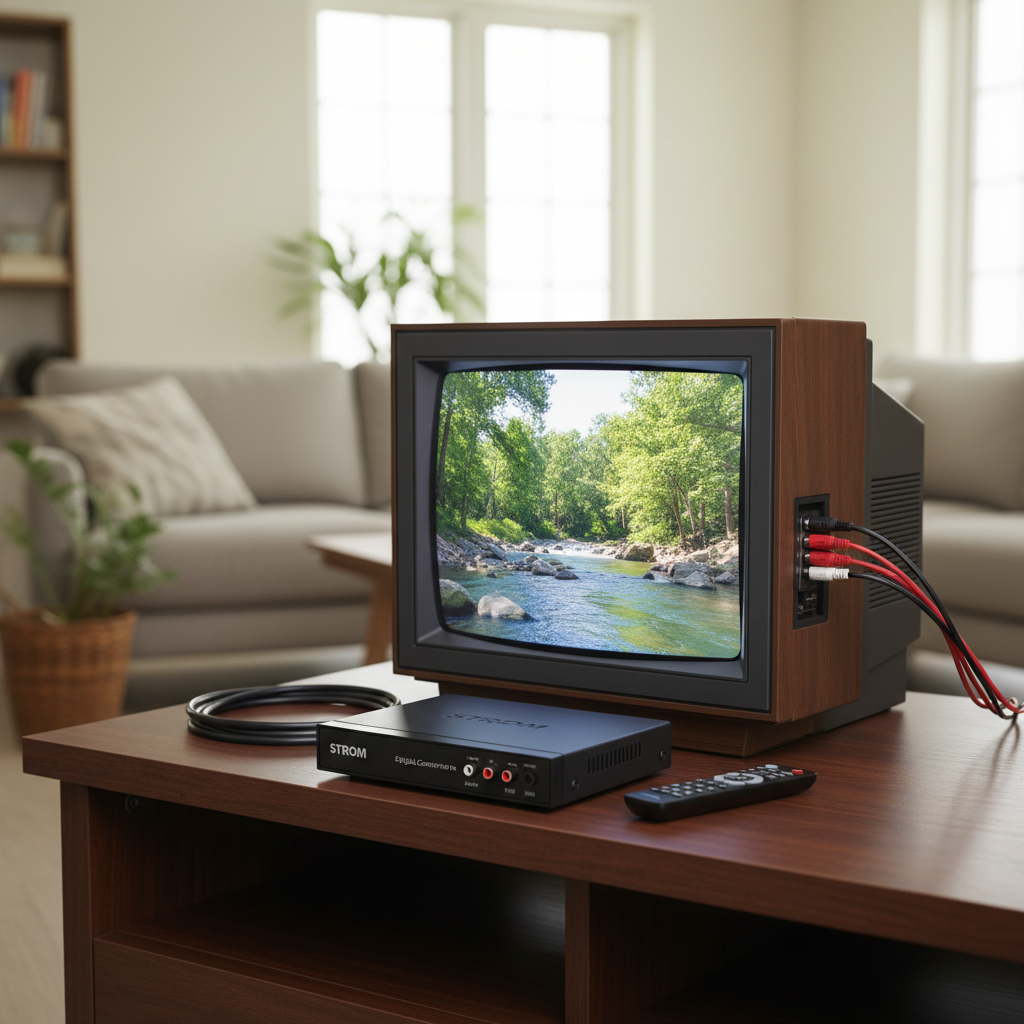
At its core, the Strom 504 Digital Converter Box is a dedicated device designed to receive digital television signals broadcast over the air and convert them into an analog format that older televisions can understand. It essentially acts as a translator, allowing you to access free, high-quality digital channels without needing to replace your existing TV. This process is vital in regions where analog broadcasts have ceased, enabling viewers to continue enjoying local programming.
While the broader category of “digital receivers” includes devices for satellite (DVB-S2) and cable (DVB-C) signals, the Strom 504 primarily functions as an ATSC (Advanced Television Systems Committee) tuner, specifically for terrestrial, over-the-air broadcasts. Its main advantage is affordability and simplicity, providing a cost-effective way to extend the life of analog TVs. However, common drawbacks in this product category can include rudimentary user interfaces and occasional reliability quirks.
Key Features to Consider in the Strom 504
When evaluating the Strom 504 Digital Converter Box, several crucial features determine its overall utility and performance for the average user. Understanding these aspects will help you gauge if it meets your specific viewing requirements.
Compatibility & Connectivity
The Strom 504 is engineered to work with a range of television sets, from vintage analog models to modern HDTVs lacking a built-in digital tuner.
- Broadcast Standard: As an ATSC converter box, the Strom 504 is designed for free over-the-air digital television signals prevalent in North America. An external antenna is a prerequisite for receiving these signals.
- Resolution Support: It typically offers standard definition (SD) output via composite (RCA) cables for older TVs and high-definition (HD) 1080P output via HDMI for more contemporary displays or monitors. This versatility ensures broad compatibility.
- Connection Ports: Expect standard connectivity options including an HDMI output, composite video (RCA) and audio outputs, and an RF (coaxial) passthrough. A front-mounted USB port is often included for multimedia playback and recording functionalities.
|
Our Picks for the Best Digital receiver in 2026
As an Amazon Associate I earn from qualifying purchases.
|
||
| Num | Product | Action |
|---|---|---|
| 1 | YAMAHA R-S202BL Stereo Receiver |

|
| 2 | Daakro AK45 Stereo Audio Amplifier,300W Home 2 Channel Wireless Bluetooth 5.0 Power Amplifier System, Home Amplifiers FM Radio, USB, SD Card, with Remote Control Home Theater Audio Stereo System |
|
| 3 | Pyle 200W Stereo Power Amplifier with Bluetooth - Dual Channel Audio Receiver - LED Display - RCA - USB - SD - MIC IN - FM Radio - AUX Input - Perfect for Home & Computer Audio - PDA29BU.5 |
|
| 4 | Digital TV Converter Box, ATSC Tv Tuner - ZJBOX for Analog HDTV Live 1080P with Recording&Playback,HDMI Output, Timer Setting Tuner Function Digital Channel Free |
|
| 5 | Pyle 4-Channel Audio Amplifier with Bluetooth - Home Stereo Receiver w/ 500W Max Power - Commercial or Karaoke - Dual Mic Input with Echo, Vol, Talk-Over - AUX In - Sub Out - USB-A MP3 Player, AM/FM |
|
| 6 | Donner Stereo Audio Amplifier, 600W Peak 2 Channel Receiver with Bluetooth 5.3, Phono, Optical, Coaxial, USB, FM, 2 Mic-in, Aux, RCA Input for Home, Karaoke, Theater Speakers, MAMP2 |
|
| 7 | Pyle Home Stereo Receiver with Bluetooth - 4 Channel Amplifier, 800 Watt Max, USB-A Input w MP3 Player, Easy Karaoke Setup with Mic Vol, Reverb and Delay, RCA in/Out, SD Card, FM Radio - PDA77BU |
|
| 8 | Denon AVR-X1700H 7.2 Channel AV Receiver - 80W/Channel, Advanced 8K HDMI Video w/eARC, Dolby Atmos, DTS:X, Built-in HEOS, Amazon Alexa Voice Control |
|
| 9 | Sony STRDH190 2-ch Home Stereo Receiver with Phono Inputs & Bluetooth Black |
|
| 10 | Denon AVR-S570BT AV Receiver 5.2 Channel 8K Ultra HD Audio & Video, Stereo Receivers, Denon AVR Wireless Streaming Bluetooth, (4) 8K HDMI Inputs, eARC, HD Setup Assistant |
|
Functionality & User Experience
Beyond basic signal conversion, the Strom 504 often includes features aimed at enhancing the user experience.
- PVR (Personal Video Recorder): One of the most sought-after features, the Strom 504 allows you to record live television programs to an external USB storage device (like a flash drive or hard drive). This is perfect for capturing your favorite shows to watch later.
- Media Player: The integrated USB port often doubles as a media player, enabling you to play back various video, music, and photo files directly from your USB drive, effectively turning your TV into a basic entertainment hub.
- Electronic Program Guide (EPG): A digital program guide is essential for navigating channels and planning your viewing. The EPG displays upcoming program information, often for several days in advance, making it easier to see what’s on.
- Parental Controls: For family-friendly viewing, parental control features allow you to block specific channels or restrict access to programs based on ratings, ensuring children only watch appropriate content.
- Closed Captions: The box typically supports closed captions, which are crucial for hearing-impaired viewers or those watching in noisy environments.
- Auto-Tuning: Simplifying setup, the auto-tuning function automatically scans for available digital channels in your area, saving you the hassle of manual configuration.
Brand Reputation and Value
The Strom 504 falls into a category of digital converter boxes known for their affordability. While generally reliable for basic functions, users should set realistic expectations regarding build quality and software sophistication. Brands in this segment often prioritize cost-effectiveness, offering essential features without the premium feel or advanced functionalities of higher-end home theater equipment. Value, in this case, comes from enabling access to free digital content on legacy hardware rather than groundbreaking innovation.
Strom 504 Against the Competition: What Stands Out?
In the crowded market of digital converter boxes, the Strom 504 competes with numerous models that offer similar core functionalities. Most devices in this price range aim to provide an affordable solution for accessing over-the-air digital television on older sets.
When comparing the Strom 504, it’s important to look at factors that differentiate it from popular alternatives like the Mediasonic HomeWorx series or iView models. Many converter boxes share a similar underlying software architecture, which can lead to consistent user interface experiences—for better or worse—across different brands.
| Feature | Strom 504 (Typical) | Generic Competitor A (e.g., Mediasonic HW-150PVR) | Generic Competitor B (e.g., iView 3300STB) |
|---|---|---|---|
| Broadcast Standard | ATSC (Over-the-Air) | ATSC | ATSC |
| Max Resolution | 1080p via HDMI | 1080p via HDMI | 1080p via HDMI |
| Video Output | HDMI, Composite (RCA), RF | HDMI, Composite (RCA), RF, Coaxial | HDMI, Composite (RCA), Coaxial |
| PVR Function | Yes (USB to external drive) | Yes (USB to external drive, up to 2TB) | Yes (USB to external drive) |
| Media Player | Yes (USB) | Yes (USB) | Yes (USB) |
| EPG | Yes | Yes | Yes |
| Parental Control | Yes | Yes | Yes |
| Remote Control | Full function (potentially small) | Full function | Full function (can be clunky) |
| Interface | Functional (can be basic) | Functional, straightforward | Functional, but some users report issues |
The Strom 504 typically offers a comparable feature set to other entry-level converter boxes. Its ability to record shows via USB and act as a basic media player are strong selling points, mirroring common offerings. However, user experiences with similar devices often highlight areas like remote control responsiveness or the intuitiveness of the on-screen menu system as potential differentiators. Some users of generic boxes report issues like lagging buttons and the need for reboots. Therefore, while feature lists may appear similar, the actual day-to-day usability can vary. The overall picture quality on such devices tends to be good for their price point, especially through HDMI output.
Your Guide to Purchasing the Strom 504
Acquiring a digital converter box like the Strom 504 requires a bit of foresight to ensure you get a product that truly fits your needs and avoids common pitfalls.
- Define Your Needs: First, identify your primary use. Are you simply trying to revive an old analog TV for basic channel viewing? Or do you need features like recording capabilities (PVR) or media playback? The Strom 504 is ideal for over-the-air (OTA) television reception, converting digital signals for both analog and HDMI-equipped TVs.
- Set a Budget: Digital converter boxes are generally inexpensive. The Strom 504 will likely fall into the budget-friendly category, offering essential features without a hefty price tag. Be wary of extremely cheap options that might compromise on quality and user experience.
- Research and Read Reviews: While specific reviews for “Strom 504” might be scarce, look for reviews of similar generic ATSC converter boxes. Pay close attention to comments regarding remote control quality, software bugs, channel scanning efficiency, and overall reliability. These insights can give you a good indication of what to expect from the Strom 504.
- Check for Key Features: Ensure the Strom 504 explicitly lists the features important to you, such as HDMI output for clearer pictures, USB recording, Electronic Program Guide (EPG), and parental controls. Verify that it supports the ATSC standard for over-the-air broadcasts.
- Reliable Retailers: Purchase from reputable online marketplaces or electronics stores. This ensures you receive a genuine product and have recourse for returns or exchanges if necessary.
- Inspect Upon Arrival: Once you receive the Strom 504, quickly check for all included accessories (remote, cables, power adapter) and test its basic functions like power on, channel scanning, and output to your TV.
Maximizing Your Strom 504 Experience
Getting the most out of your Strom 504 Digital Converter Box involves proper setup, understanding its functions, and a bit of routine maintenance.
Connecting Your Digital Converter Box
Setting up the Strom 504 is typically a straightforward process:
- Antenna Connection: Connect your outdoor or indoor antenna to the “Antenna In” or “RF In” port on the back of the Strom 504.
- TV Connection:
- For Analog TVs: Use the composite (yellow, white, red RCA) cables. Connect the yellow video cable to your TV’s “Video In” and the white/red audio cables to the “Audio L/R In” ports.
- For HD TVs/Monitors: Use an HDMI cable to connect the “HDMI Out” port on the Strom 504 to an available HDMI input on your television.
- RF Output (Optional): If your TV only has a coaxial input and no RCA or HDMI, the Strom 504 might have an “RF Out” or “Loop Out” that connects to your TV’s antenna input. You’ll then tune your TV to Channel 3 or 4.
- Power: Plug the power adapter into the Strom 504 and then into a wall outlet.
Ditching the Cable: Channel Scanning
Once connected, power on both your TV and the Strom 504. Select the correct input source on your TV (e.g., HDMI 1, AV, or TV/Antenna). Navigate to the Strom 504’s menu (usually by pressing “Menu” on its remote) and select “Channel Search” or “Auto Tune.” The box will then scan for all available digital channels in your area. This process can take several minutes.
Utilizing Advanced Features
- PVR (Recording): Plug a formatted USB drive into the USB port. Access the PVR menu to schedule recordings using the EPG or record live TV instantly. Ensure your USB drive has sufficient space and is formatted correctly (e.g., MBR, not NTFS for some boxes).
- Media Playback: From the main menu, select “Media” or “USB” to browse and play video, music, or photo files stored on your USB drive.
- EPG (Electronic Program Guide): Press the “Guide” or “EPG” button on your remote to view program listings and schedule recordings.
- Closed Captions: Use the “CC” button on the remote to toggle closed captions on or off, and adjust settings like font size or color through the menu.
Software Updates & Maintenance
While many basic converter boxes don’t receive frequent firmware updates, it’s worth checking the manufacturer’s website (if available) for any new software that might improve performance or fix bugs. Keep the unit in a well-ventilated area to prevent overheating. Regularly dusting the vents can help maintain optimal performance and extend its lifespan. For cleaning, use a soft, dry cloth; avoid harsh chemicals.
“Choosing the right Digital Converter Box transforms older TVs into capable digital entertainment centers, allowing access to a wealth of free over-the-air content with enhanced features like recording and media playback.” – [Your Name/Role, Admin of reviewapr.com], Digital Equipment Specialist
Conclusion
The Strom 504 Digital Converter Box emerges as a viable solution for anyone looking to bring digital over-the-air television to their analog TV or an HDTV without a built-in digital tuner. It stands out by offering essential features like HDMI and composite outputs, PVR recording to external USB drives, and an Electronic Program Guide, all within an accessible price point. While its user interface might be basic and its remote functional rather than luxurious, its core purpose of converting digital signals for reliable viewing is met.
For those who value affordability and functionality over advanced smart features, the Strom 504 provides a pragmatic gateway to free digital broadcasts. It’s a testament to how simple technology can extend the life of cherished electronics, ensuring you don’t miss out on local news, sports, and entertainment.
Is the Strom 504 Digital Converter Box the upgrade your older TV has been waiting for?
Frequently Asked Questions
Do I need an antenna to use the Strom 504 Digital Converter Box?
Yes, the Strom 504 is designed to receive over-the-air (OTA) digital broadcast signals, which require an external antenna. The quality and number of channels you receive will depend on your location and the type of antenna used.
Can the Strom 504 record TV shows?
Absolutely. The Strom 504 typically includes a Personal Video Recorder (PVR) function, allowing you to record live television programs to an external USB flash drive or hard drive connected to its USB port.
Will the Strom 504 work with my old analog TV?
Yes, that’s one of its primary functions. The Strom 504 outputs an analog signal via composite (RCA) cables, making it compatible with older analog televisions, as well as providing HDMI output for newer HD displays.
Does the Strom 504 work with cable TV?
No, the Strom 504 is an ATSC converter box designed for free over-the-air digital signals received via an antenna. It is not compatible with encrypted cable TV channels or services from providers like Comcast or Dish Network.
What kind of USB drive is best for recording with the Strom 504?
For optimal recording performance, it’s generally recommended to use a USB 2.0 or 3.0 external hard drive (up to 2TB for many models). While USB flash drives can work, a hard drive typically offers more reliable performance and storage capacity for recordings.