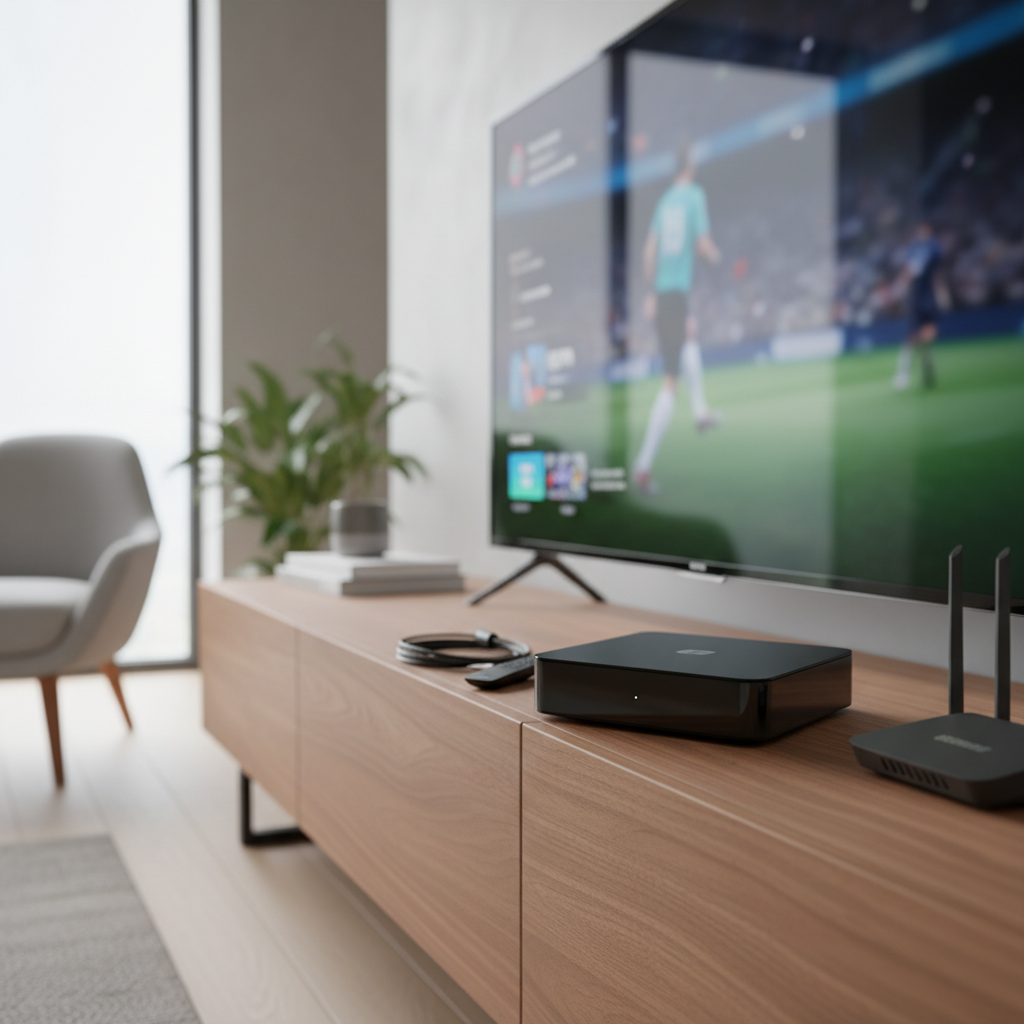
In an age dominated by streaming services and smart TVs, many households still cherish their trusty older televisions or seek cost-effective ways to access local channels. A digital converter box like the Ex-Link model offers a vital bridge, transforming your analog TV into a modern gateway for free, over-the-air (OTA) digital broadcasts. This review delves into what makes such a device tick, its key features, and what you can expect from a budget-friendly option like the Ex-Link Digital Converter Box. Whether you’re cutting the cord or simply breathing new life into an old set, understanding these essential devices is key to unlocking a world of complimentary entertainment.
What is a Digital Converter Box?
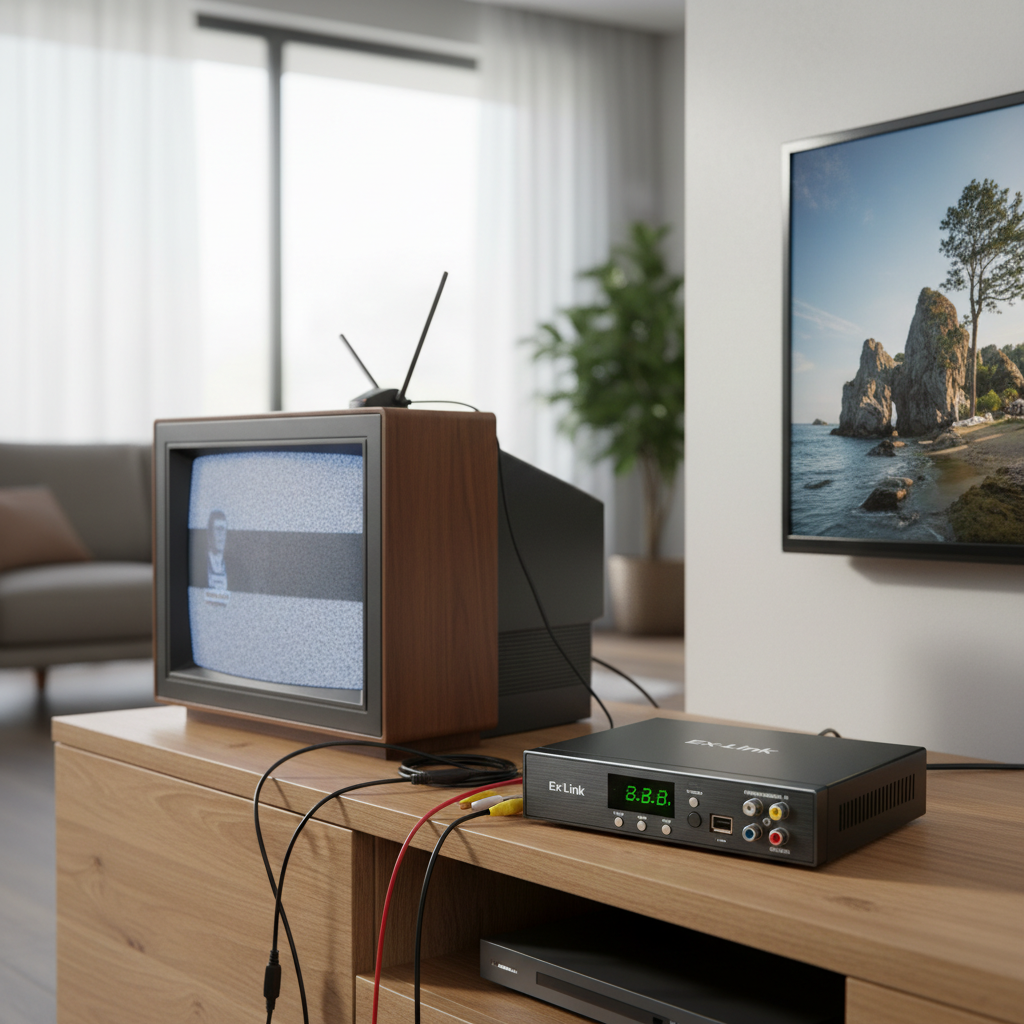
A digital converter box, often referred to as a set-top box or ATSC tuner (for North American standards), is an electronic device designed to receive digital television (DTV) broadcast signals and convert them into an analog format that older televisions can display. When analog broadcasting ceased, many TVs without built-in digital tuners became obsolete for OTA reception. These converter boxes became indispensable, allowing millions to continue watching free local channels with their existing equipment.
Most digital converter boxes primarily support the ATSC (Advanced Television Systems Committee) standard prevalent in the United States, Canada, Mexico, and South Korea for terrestrial broadcasting. Other regions might use standards like DVB-T2 (Digital Video Broadcasting – Second Generation Terrestrial) or DVB-S2 (Satellite) and DVB-C (Cable). The Ex-Link, like many entry-level models, typically focuses on the dominant ATSC standard for its target market.
The primary advantage of these devices is their cost-effectiveness, providing access to a wide array of free digital channels without monthly subscriptions. They revitalize older TVs, offering a second life to beloved sets. However, being budget-oriented, they often come with limitations such as basic feature sets, potentially less robust tuners, and sometimes a less refined user interface compared to higher-end models or integrated smart TV tuners.
Key Factors When Choosing a Digital Converter Box
Selecting the right digital converter box involves evaluating several critical factors to ensure it meets your specific needs and integrates seamlessly with your existing setup. Understanding these aspects will help you gauge the Ex-Link’s suitability.
Compatibility
- Broadcast Standard: For North America, ensure the box supports the ATSC standard. This is crucial for receiving free over-the-air digital channels.
- Resolution Support: While converting for analog TVs, most digital converter boxes can output higher resolutions (720p, 1080i, or even 1080p Full HD) via HDMI for newer displays. Check if the Ex-Link supports the resolution you desire, especially if connecting to an HD monitor or TV.
- Connectivity Options: Your TV’s available inputs dictate the necessary outputs on the converter box. Common outputs include:
- HDMI: For the best possible picture quality on modern TVs and monitors.
- RCA (Composite A/V): The standard three-color (yellow for video, red/white for audio) connectors for older analog TVs.
- Coaxial (RF): Sometimes used for very old TVs or as an alternative output.
- USB Port: Essential for multimedia playback and often for DVR functionality.
|
Our Picks for the Best Digital receiver in 2026
As an Amazon Associate I earn from qualifying purchases.
|
||
| Num | Product | Action |
|---|---|---|
| 1 | Donner Stereo Audio Amplifier, 600W Peak 2 Channel Receiver with Bluetooth 5.3, Phono, Optical, Coaxial, USB, FM, 2 Mic-in, Aux, RCA Input for Home, Karaoke, Theater Speakers, MAMP2 |

|
| 2 | Pyle 200W Stereo Power Amplifier with Bluetooth - Dual Channel Audio Receiver - LED Display - RCA - USB - SD - MIC IN - FM Radio - AUX Input - Perfect for Home & Computer Audio - PDA29BU.5 |
|
| 3 | Denon AVR-S570BT AV Receiver 5.2 Channel 8K Ultra HD Audio & Video, Stereo Receivers, Denon AVR Wireless Streaming Bluetooth, (4) 8K HDMI Inputs, eARC, HD Setup Assistant |
|
| 4 | YAMAHA R-S202BL Stereo Receiver |
|
| 5 | Pyle Home Stereo Receiver with Bluetooth - 4 Channel Amplifier, 800 Watt Max, USB-A Input w MP3 Player, Easy Karaoke Setup with Mic Vol, Reverb and Delay, RCA in/Out, SD Card, FM Radio - PDA77BU |
|
| 6 | Pyle 4-Channel Audio Amplifier with Bluetooth - Home Stereo Receiver w/ 500W Max Power - Commercial or Karaoke - Dual Mic Input with Echo, Vol, Talk-Over - AUX In - Sub Out - USB-A MP3 Player, AM/FM |
|
| 7 | Denon AVR-X1700H 7.2 Channel AV Receiver - 80W/Channel, Advanced 8K HDMI Video w/eARC, Dolby Atmos, DTS:X, Built-in HEOS, Amazon Alexa Voice Control |
|
| 8 | Daakro AK45 Stereo Audio Amplifier,300W Home 2 Channel Wireless Bluetooth 5.0 Power Amplifier System, Home Amplifiers FM Radio, USB, SD Card, with Remote Control Home Theater Audio Stereo System |
|
| 9 | Digital TV Converter Box, ATSC Tv Tuner - ZJBOX for Analog HDTV Live 1080P with Recording&Playback,HDMI Output, Timer Setting Tuner Function Digital Channel Free |
|
| 10 | Sony STRDH190 2-ch Home Stereo Receiver with Phono Inputs & Bluetooth Black |
|
Features
Beyond basic signal conversion, many digital converter boxes offer a suite of features that enhance the viewing experience.
- Digital Video Recorder (DVR) / Personal Video Recorder (PVR) Capability: This is a highly sought-after feature, allowing you to record live TV programs to an external USB storage device (like a flash drive or hard drive). Many models also offer time-shift functionality, enabling you to pause live TV and resume watching later. For budget boxes like the Ex-Link, recording is usually limited to one channel at a time.
- Electronic Program Guide (EPG): An on-screen guide that displays upcoming program schedules, making it easy to see what’s on and plan your viewing.
- USB Multimedia Playback: A common feature that lets you play videos, music, and view photos from a USB drive directly through the converter box. Check for supported file formats.
- Signal Strength Indicator: Helps you position your antenna for optimal reception.
- Closed Captions (CC): Essential for accessibility, allowing you to display on-screen text for dialogue and sounds.
- Emergency Alert System (EAS): Provides critical emergency information broadcast by local stations.
User Experience & Reliability
The day-to-day usability of a converter box largely depends on its interface and remote control.
- Remote Control Quality: A responsive, well-laid-out remote is crucial. Many budget models suffer from cheap, unresponsive remotes with a limited range.
- Menu Navigation: An intuitive and easy-to-understand on-screen menu makes setup and feature access much smoother. Some interfaces can be clunky or poorly translated.
- Tuner Sensitivity: A good tuner can pick up weaker signals, leading to more available channels and fewer dropouts. This can vary significantly between brands and models.
- Build Quality: While often plastic, the overall construction should feel sturdy enough for its purpose.
- Firmware and Updates: The availability of firmware updates can resolve bugs and improve performance, though this is less common for very inexpensive models.
Brand and Price
The Ex-Link Digital Converter Box typically falls into the highly competitive budget segment. Brands in this category often focus on affordability and core functionality. While specific “Ex-Link” details are less prominent, general expectations for such devices include:
- Affordable Price Point: Generally under $50, making it an attractive option for basic needs.
- Basic Feature Set: Expect core conversion and perhaps rudimentary DVR and media playback.
- Potential Compromises: These often appear in remote quality, software responsiveness, or tuner sensitivity when compared to slightly more expensive, well-known brands like Mediasonic or Ematic.
Reviewing the Ex-Link Digital Converter Box
Given that “Ex-Link” often appears as a generic or less prominent brand, a review of this device is best framed around the common performance characteristics and user experiences typical of budget digital converter boxes.
Setup and Installation
Like most digital converter boxes, the Ex-Link promises a relatively straightforward setup. You’ll typically connect your antenna to the “Antenna In” port, then connect the box to your TV using an HDMI cable (for HD TVs) or RCA composite cables (for older analog TVs). After powering it on, the initial setup usually involves an auto-scan feature to find available digital channels in your area. This process is generally user-friendly, guiding you through on-screen prompts.
Signal Reception
The ability of a digital converter box to pick up and maintain signals is paramount. Budget models like the Ex-Link often perform adequately in areas with strong signal reception. However, in regions with weaker signals or where signals are marginal, the tuner sensitivity might be a point of concern. Users may find that while it picks up most major channels, it might struggle with distant or weaker stations that more sensitive tuners could handle. An external amplified antenna is often recommended to maximize channel reception.
Picture and Sound Quality
When converting digital broadcasts to analog for older TVs, the Ex-Link does a commendable job of delivering a clear picture and sound. For those connecting via HDMI to an HDTV, the picture quality will be upscaled to the highest supported resolution (e.g., 1080p), offering a surprisingly sharp image for free OTA content. Sound quality is typically standard stereo output, which is perfectly fine for most TV setups.
DVR & Multimedia Features
The Ex-Link usually includes DVR capabilities, allowing you to record programs onto a USB drive. This functionality is generally basic:
- Single Channel Recording: You can typically only record one channel at a time. This means you cannot record one show while watching another live channel.
- Time-Shifting: The ability to pause live TV is often present, offering a convenient way to take breaks without missing content.
- USB Media Playback: The USB port typically supports common video formats (like MP4, AVI), audio formats (MP3), and image viewing (JPEG). This adds versatility, turning the box into a basic media player.
While these features are welcome additions, they are often not as polished or robust as dedicated DVRs.
Remote and Interface
This is often where budget digital converter boxes face common critiques. The Ex-Link’s remote control might be compact and functional but can suffer from limited range, requiring precise aiming or multiple button presses. The on-screen menu system, while functional, might not be the most aesthetically pleasing or intuitive. Navigation can sometimes feel sluggish, and certain functions might require more steps than desired. For instance, accessing recordings or specific settings might involve a slightly cumbersome journey through the menu.
Comparison with Popular Digital Converter Boxes
Rather than a direct comparison with named models (as “Ex-Link” itself is less specific), we can broadly compare its typical performance against the market. Most converter boxes fall into a similar functional bracket, offering a balance of features against their price.
The Ex-Link will typically compete with other entry-level and mid-range boxes from brands like Ematic, iView, or certain Mediasonic models. Key differentiation points often lie in:
- Tuner Strength: Some brands are known for slightly more sensitive tuners.
- Remote Control Ergonomics and Responsiveness: This can significantly impact daily use.
- Software Polish: The smoothness of the EPG, menu navigation, and DVR scheduling.
- Build Quality: Minor differences in plastic quality or port durability.
An Ex-Link box usually provides the essential functionality required for converting digital signals and often includes basic DVR and media playback, making it a strong value proposition for those prioritizing cost. It may not offer the most refined user experience or the absolute best signal sensitivity, but for its price, it delivers the core promise effectively.
How to Buy an Ex-Link Digital Converter Box
Purchasing a digital converter box, including an Ex-Link or a similar generic model, involves a few practical steps to ensure you get the best device for your household.
- Determine Your Needs:
- Basic viewing: If you just need to access free local channels on an old TV, most basic models will suffice.
- Recording: If DVR functionality is crucial, confirm the box explicitly supports it via a USB drive. Understand its limitations (e.g., single-channel recording).
- Media Playback: If you want to play movies or music from a USB drive, check for supported formats.
- Check Your TV’s Inputs: Identify whether your TV has HDMI, RCA (composite), or coaxial inputs. This will ensure the converter box has compatible output ports.
- Consider Your Antenna: A high-quality, properly installed antenna is just as important as the converter box itself. A powerful antenna can compensate for a less sensitive tuner in some cases.
- Manage Expectations for Budget Models: While offering excellent value, budget converter boxes may have minor drawbacks in remote responsiveness, menu design, or tuner sensitivity in challenging signal areas.
- Where to Buy: These devices are readily available online through major retailers and occasionally at electronics stores. Read recent customer reviews for common feedback on specific models, even if it’s not branded “Ex-Link” as many similar products share components and software.
Tips for Using and Maintaining Your Ex-Link Digital Converter Box
To get the most out of your Ex-Link Digital Converter Box and ensure its longevity, follow these practical tips.
- Optimal Antenna Placement: Experiment with your antenna’s location for the best signal reception. Higher positions, away from obstructions, often yield better results. Use the converter box’s signal strength meter (if available) to fine-tune placement.
- Proper Connection: Ensure all cables (antenna, HDMI/RCA, power) are securely connected. Loose connections can lead to signal loss or poor picture quality.
- Regular Channel Scans: Periodically perform a channel rescan, especially if you notice missing channels or if new stations launch in your area. This ensures your box has the most up-to-date channel list.
- USB Drive for DVR: If using the DVR function, use a high-quality USB 2.0 or 3.0 flash drive or external hard drive with sufficient storage. Some boxes may require the drive to be formatted in a specific file system (e.g., FAT32 or NTFS) which can be done through the box’s menu.
- Firmware Updates (If Applicable): Check the manufacturer’s website (if available) for any firmware updates. Updates can fix bugs, improve performance, or add new features. Follow instructions carefully if performing an update.
- Cleaning: Keep the converter box clean and dust-free, ensuring good ventilation around the unit to prevent overheating. Use a soft, dry cloth for exterior cleaning.
- Troubleshooting: If you encounter issues like no signal, freezing, or remote problems, try basic troubleshooting steps first:
- Restart the box (power cycle).
- Check all cable connections.
- Rescan channels.
- Replace remote batteries.
Conclusion
The Ex-Link Digital Converter Box, embodying the spirit of affordable over-the-air television, serves as an excellent solution for anyone looking to embrace free digital broadcasts without investing in a new TV. Its primary strengths lie in its ability to effectively convert digital signals for analog sets and its inclusion of valuable features like basic DVR and multimedia playback, all at a budget-friendly price point. While you might encounter typical limitations of entry-level devices—such as a less-than-premium remote or a utilitarian user interface—its core functionality provides substantial value.
Ultimately, the Ex-Link empowers you to reclaim control over your television viewing, offering a simple, cost-effective pathway to local news, sports, and entertainment. It’s a smart choice for cord-cutters and those wishing to extend the life of their beloved older televisions, ensuring that access to free digital content remains universally available. Are you ready to discover the full potential of your existing TV setup with a reliable digital converter box?
Frequently Asked Questions
What is the primary function of an Ex-Link Digital Converter Box?
The main function of an Ex-Link Digital Converter Box is to receive over-the-air digital television (DTV) signals and convert them into an analog format. This allows older televisions, which lack a built-in digital tuner, to display modern digital broadcasts and access free local channels.
Can I record TV shows with the Ex-Link Digital Converter Box?
Yes, most Ex-Link digital converter boxes, like similar budget models, typically include DVR (Digital Video Recorder) functionality. You can record live TV programs to an external USB storage device, such as a flash drive or an external hard drive, connected to the box’s USB port.
What kind of TV can I connect the Ex-Link Digital Converter Box to?
You can connect an Ex-Link Digital Converter Box to a wide range of TVs. It commonly features RCA (composite) outputs for older analog televisions and HDMI outputs for connecting to modern HDTVs, allowing you to enjoy digital broadcasts on nearly any television with compatible input ports.
Do I need a special antenna for the Ex-Link Digital Converter Box?
No, you don’t need a “special” antenna, but you do need an over-the-air (OTA) antenna to receive digital broadcast signals. The quality and placement of your antenna significantly impact the number and clarity of channels you receive with the Ex-Link or any digital converter box.
Are there any common issues with budget digital converter boxes like the Ex-Link?
Common issues with budget digital converter boxes often include a less responsive remote control, a somewhat basic or clunky on-screen menu interface, and potentially lower tuner sensitivity compared to higher-end models, which might affect reception in areas with weak signals.