The pursuit of pristine audio often leads enthusiasts to scrutinize every component of their sound system, down to the cables that carry the digital signal. Among the most common choices for connecting digital audio devices are coaxial and optical cables. Both serve the vital role of transmitting audio data, yet they employ fundamentally different technologies, leading to distinct advantages and considerations for your home entertainment setup. Understanding these differences is key to optimizing your listening experience and ensuring compatibility with your devices.
What is Digital Audio Transmission?
Digital audio transmission involves converting analog sound waves into a stream of binary data (1s and 0s), which is then transmitted between devices. Unlike analog connections that can be susceptible to noise and signal degradation over distance, digital connections aim for “bit-perfect” transfer, meaning the data received is identical to the data sent. This results in clearer sound with less interference. For home audio, two primary digital connection methods, besides HDMI, are coaxial and optical audio.
Understanding Coaxial Audio
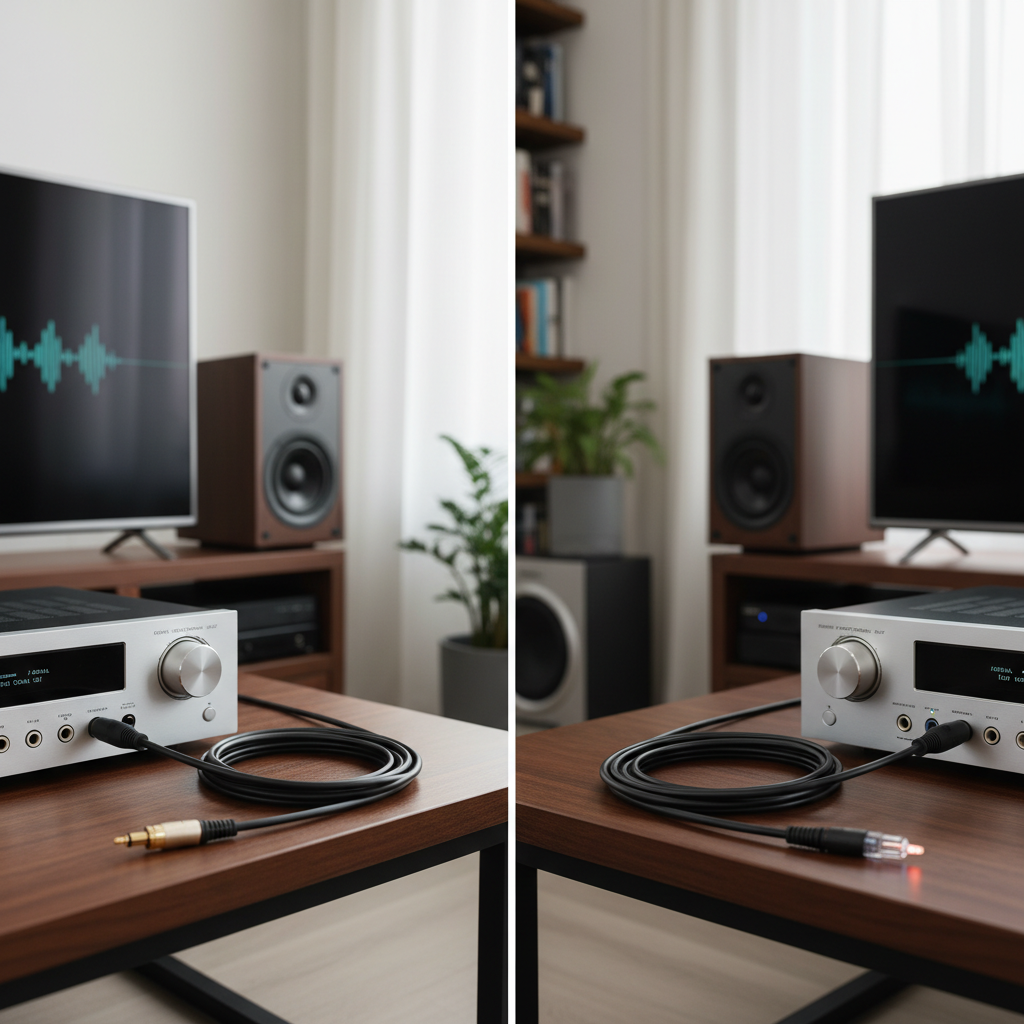
Coaxial audio utilizes a single cable with RCA-style connectors to transmit digital audio signals as electrical pulses. The cable typically consists of a central copper conductor, an insulating layer, and a braided metallic shield, all encased in an outer jacket. This design provides some protection against external electromagnetic interference.
How it works: Digital audio data is encoded into electrical voltage changes that travel along the copper conductor. At the receiving end, a Digital-to-Analog Converter (DAC) or receiver interprets these electrical pulses back into audio information.
Advantages:
- Robustness: Coaxial cables and their connectors are generally more durable and less susceptible to physical damage from bending or crimping compared to optical cables.
- Bandwidth Potential: In some implementations, coaxial cables can theoretically support a higher bandwidth than optical, allowing for higher resolution stereo audio (e.g., 24-bit/192kHz uncompressed PCM, depending on the DAC). They can also handle compressed multi-channel audio like Dolby Digital and DTS 5.1/7.1.
- Signal Stability: Many audiophiles suggest that coaxial connections offer a more stable signal with less jitter (timing errors) because the signal remains in the electrical domain, leading to a more natural and detailed sound, especially in dedicated stereo Hi-Fi systems.
- Longevity: Coaxial cables often offer greater longevity and broader compatibility with older high-end audio components.
Disadvantages:
- Electrical Interference: Because they transmit electrical signals, coaxial cables are susceptible to electromagnetic interference (EMI), radio frequency interference (RFI), and ground loops, which can introduce hums or buzzes into the audio if not properly shielded.
- Common Ground: Coaxial connections require a common electrical ground between connected devices, which can sometimes be the source of ground loop issues.
|
Our Picks for the Best Digital receiver in 2026
As an Amazon Associate I earn from qualifying purchases.
|
||
| Num | Product | Action |
|---|---|---|
| 1 | Denon AVR-S570BT AV Receiver 5.2 Channel 8K Ultra HD Audio & Video, Stereo Receivers, Denon AVR Wireless Streaming Bluetooth, (4) 8K HDMI Inputs, eARC, HD Setup Assistant |

|
| 2 | Pyle 200W Stereo Power Amplifier with Bluetooth - Dual Channel Audio Receiver - LED Display - RCA - USB - SD - MIC IN - FM Radio - AUX Input - Perfect for Home & Computer Audio - PDA29BU.5 |
|
| 3 | Daakro AK45 Stereo Audio Amplifier,300W Home 2 Channel Wireless Bluetooth 5.0 Power Amplifier System, Home Amplifiers FM Radio, USB, SD Card, with Remote Control Home Theater Audio Stereo System |
|
| 4 | Pyle Home Stereo Receiver with Bluetooth - 4 Channel Amplifier, 800 Watt Max, USB-A Input w MP3 Player, Easy Karaoke Setup with Mic Vol, Reverb and Delay, RCA in/Out, SD Card, FM Radio - PDA77BU |
|
| 5 | Donner Stereo Audio Amplifier, 600W Peak 2 Channel Receiver with Bluetooth 5.3, Phono, Optical, Coaxial, USB, FM, 2 Mic-in, Aux, RCA Input for Home, Karaoke, Theater Speakers, MAMP2 |
|
| 6 | YAMAHA R-S202BL Stereo Receiver |
|
| 7 | Digital TV Converter Box, ATSC Tv Tuner - ZJBOX for Analog HDTV Live 1080P with Recording&Playback,HDMI Output, Timer Setting Tuner Function Digital Channel Free |
|
| 8 | Denon AVR-X1700H 7.2 Channel AV Receiver - 80W/Channel, Advanced 8K HDMI Video w/eARC, Dolby Atmos, DTS:X, Built-in HEOS, Amazon Alexa Voice Control |
|
| 9 | Sony STRDH190 2-ch Home Stereo Receiver with Phono Inputs & Bluetooth Black |
|
| 10 | Pyle 4-Channel Audio Amplifier with Bluetooth - Home Stereo Receiver w/ 500W Max Power - Commercial or Karaoke - Dual Mic Input with Echo, Vol, Talk-Over - AUX In - Sub Out - USB-A MP3 Player, AM/FM |
|
Understanding Optical Audio (TOSLINK)
Optical audio, commonly referred to as TOSLINK (Toshiba Link), transmits digital audio signals using pulses of light through a fiber optic cable. The cable has square or round connectors that plug into dedicated optical ports on audio equipment.
How it works: An electrical audio signal is converted into light pulses by an LED or laser diode at the source. These light pulses travel through the fiber optic cable and are then converted back into an electrical signal by a photodiode at the receiving device.
Advantages:
- Immunity to Electrical Interference: A significant advantage of optical cables is their complete immunity to electromagnetic and radio frequency interference, as well as ground loops. Since no electrical signal is transmitted, there’s no path for electrical noise to enter the audio chain, making them ideal for “challenging environments” with many electronic devices.
- Electrical Isolation: Optical connections provide perfect electrical isolation between devices, eliminating potential issues caused by differences in ground potential.
- Lightweight and Flexible: Optical cables are often thinner and more flexible than coaxial cables, making them easier to route in tight spaces.
Disadvantages:
- Fragility: Fiber optic cables are more delicate than coaxial cables and can be easily damaged if sharply bent, crimped, or kinked, which can impair or completely break the light signal transmission.
- Bandwidth Limitations: While capable of handling 2-channel uncompressed PCM and compressed multi-channel formats like Dolby Digital and DTS 5.1/7.1, optical audio often has a lower effective bandwidth limit compared to coaxial in some setups (sometimes capping at 24-bit/96kHz). It cannot carry high-resolution uncompressed multi-channel formats.
- Signal Conversion: The double conversion process (electrical-to-light and light-to-electrical) can, in theory, introduce minimal latency or very subtle timing errors (jitter), although these are often imperceptible in real-world listening.
- Light Leakage/Reflections: Less optimal optical cables can experience light leakage and reflections within the cable, which may affect transmission stability.
Coaxial vs. Optical Audio: A Detailed Comparison
When deciding between coaxial and optical audio, several factors come into play beyond their basic definitions.
Sound Quality
For most practical purposes and standard audio formats, both coaxial and optical cables can deliver excellent digital audio without audible distortion. Many experts suggest that if both are transmitting a “bit-perfect” signal, the inherent sound quality should be identical. However, some audiophiles and critical listeners assert that coaxial connections tend to produce a more detailed, dynamic, and natural sound, especially in high-fidelity stereo systems. This difference, if perceived, often relates to the coaxial signal’s direct electrical transmission and potentially lower jitter in certain DAC implementations, as opposed to the light-to-electrical conversion of optical.
Bandwidth and Supported Audio Formats
Both coaxial and optical connections operate under the S/PDIF (Sony/Philips Digital Interface Format) standard, which dictates their capabilities.
- Uncompressed Stereo: Both can transmit uncompressed two-channel PCM stereo audio.
- Compressed Surround Sound: Both can transmit compressed multi-channel formats like Dolby Digital and DTS 5.1/7.1. These formats are typically found on DVDs, Blu-rays, and streaming services.
- High-Resolution Uncompressed Multi-channel Audio: Neither coaxial nor optical cables can transmit uncompressed high-resolution multi-channel audio formats such as Dolby TrueHD, DTS-HD Master Audio, Dolby Atmos, or DTS:X. These advanced formats require the significantly higher bandwidth provided by an HDMI connection. While coaxial may offer higher bandwidth potential for stereo PCM (up to 24-bit/192kHz) than optical (sometimes limited to 24-bit/96kHz), this depends heavily on the specific audio equipment and DAC.
Interference
This is where the two technologies diverge significantly. Coaxial cables, carrying electrical signals, are vulnerable to electrical noise and interference from other electronic devices, which can manifest as an audible hum or buzz. Optical cables, conversely, transmit light and are completely impervious to electromagnetic interference and radio frequency interference. This makes optical a superior choice in environments with numerous electronic gadgets or where ground loop issues are a concern.
Cable Durability and Length
Coaxial cables are generally more robust and can withstand more physical stress, such as bending, without impacting performance. They are also capable of reliably transmitting signals over longer distances compared to optical cables. Optical cables, on the other hand, are delicate and prone to damage from sharp bends or crimping, which can disrupt the light path and cause signal loss.
Compatibility and Common Usage
- Coaxial: Commonly found on older A/V receivers, CD players, DVD players, and some dedicated audio components like high-end DACs and audio streamers. It’s less common on modern televisions.
- Optical: Widely available on modern TVs, soundbars, gaming consoles (PlayStation, Xbox), Blu-ray players, and many A/V receivers. It’s a ubiquitous choice for general consumer electronics.
Which is Best for Your Setup?
The “best” choice between coaxial and optical audio depends largely on your specific equipment, audio priorities, and environment.
- Choose Coaxial if:
- You are connecting older, high-quality audio components or dedicated Hi-Fi stereo systems with coaxial outputs.
- You prioritize what some perceive as a more “natural” or “detailed” sound for critical listening, and your equipment supports higher resolution formats via coaxial.
- Electrical interference is not an issue in your setup.
- You need a more robust and physically durable cable.
- Choose Optical if:
- You are connecting modern TVs, soundbars, or gaming consoles that frequently feature optical outputs.
- You need to completely eliminate electrical interference, ground loops, or hums in your audio system, especially in electromagnetically noisy environments.
- You are primarily dealing with 2-channel PCM or compressed 5.1/7.1 surround sound.
- Cable fragility is not a major concern for your installation.
- Consider HDMI (for modern systems) if:
- You want the highest quality multi-channel uncompressed audio formats (like Dolby TrueHD, DTS-HD Master Audio, Dolby Atmos, DTS:X).
- You need to transmit both high-definition video and audio through a single cable.
- Your devices support Audio Return Channel (ARC) or Enhanced Audio Return Channel (eARC) for simplified connectivity.
Installation and Maintenance Tips
Regardless of your choice, proper installation and care can enhance your audio experience and prolong cable life.
- Connecting: Always ensure you match the correct output (Digital Audio Out Coaxial or Optical) from your source device to the corresponding input (Digital Audio In Coaxial or Optical) on your receiver or soundbar.
- Securing Cables: For optical cables, avoid sharp bends or crimps, which can damage the delicate internal fiber. Keep coaxial cables away from power lines or other electrical cables to minimize potential interference.
- Troubleshooting: If you experience no sound, double-check all connections, ensure the correct input is selected on your receiver, and verify that the audio output setting on your source device is correctly configured for the chosen digital format.
- Cleaning: Keep the ends of optical cables and their ports free of dust and debris by using protective caps when not in use. Dust can obstruct the light path and degrade signal quality.
Conclusion
The choice between coaxial and optical audio hinges on your specific needs, the capabilities of your existing equipment, and your desired audio fidelity. Both offer significant improvements over analog connections, delivering clear digital sound for common stereo and compressed surround sound formats. While coaxial is often favored by some audiophiles for its robustness and perceived sonic benefits in certain Hi-Fi setups, optical excels in environments where electrical isolation and interference immunity are paramount. For the ultimate in modern home theater audio, especially with high-resolution uncompressed multi-channel formats, HDMI remains the undisputed champion. By evaluating your system’s requirements and understanding the unique strengths of each connection type, you can make an informed decision and truly unlock the potential of your sound system. What’s your go-to digital audio connection, and what factors led to your choice?
Frequently Asked Questions
Does Coaxial or Optical provide better sound quality?
For “bit-perfect” transmission, both technically deliver the same data. However, some audiophiles suggest coaxial can offer a more detailed and dynamic sound, especially in dedicated stereo Hi-Fi systems, due to its electrical transmission and potential for lower jitter. Optical provides superior immunity to electrical interference.
Can Coaxial or Optical transmit Dolby Atmos?
No, neither coaxial nor optical audio cables have the bandwidth required to transmit uncompressed high-resolution multi-channel audio formats like Dolby Atmos, Dolby TrueHD, or DTS-HD Master Audio. These advanced audio formats require an HDMI connection.
Is Optical audio better than RCA?
Optical audio is a digital connection, while standard RCA cables often refer to analog stereo connections. Digital connections like optical are generally “better” than analog RCA for audio fidelity because they transmit data as 1s and 0s, making them immune to noise and degradation that can affect analog signals over distance.
What’s the main advantage of Optical audio?
The main advantage of optical audio is its complete immunity to electrical interference, such as electromagnetic interference (EMI), radio frequency interference (RFI), and ground loops. This is because it transmits data via light pulses, providing perfect electrical isolation between devices.
How long can a Coaxial audio cable be?
Coaxial audio cables are generally more robust and can reliably transmit digital audio signals over longer distances than optical cables, often up to 10-15 meters or more, without significant signal degradation or loss of fidelity, provided they are of good quality.
Should I use Coaxial or Optical for a soundbar?
For connecting a soundbar to a TV, optical audio is often the more common and convenient choice, especially to eliminate potential electrical interference. However, if your TV or soundbar supports HDMI ARC/eARC, that would typically be the preferred connection for the best audio formats and integrated control.
What is S/PDIF?
S/PDIF (Sony/Philips Digital Interface Format) is a standard for transmitting digital audio signals between devices. Both coaxial and optical audio connections typically utilize the S/PDIF protocol to carry 2-channel uncompressed PCM audio or compressed multi-channel formats like Dolby Digital and DTS.