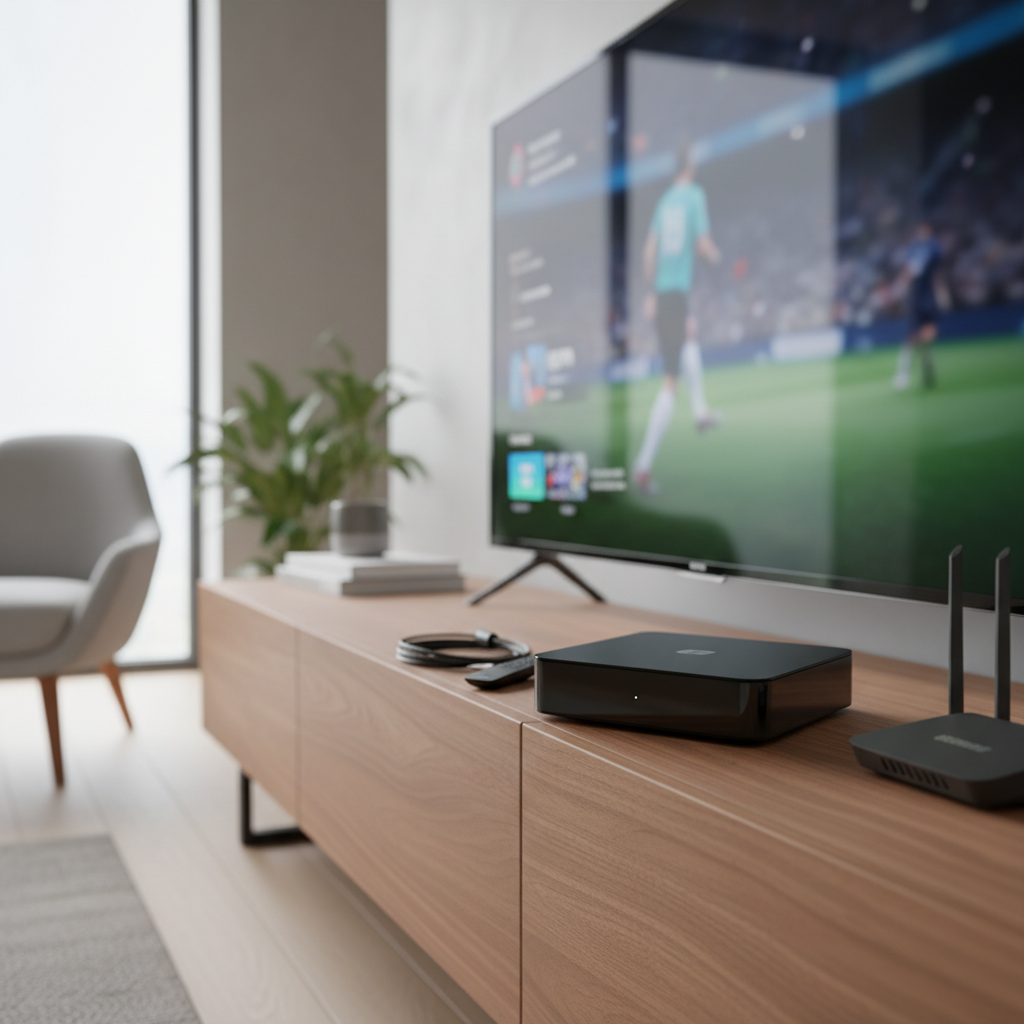
Have you ever dreamt of a home entertainment setup that delivers crystal-clear 4K satellite content without breaking the bank? The world of digital receivers can be complex, but finding the right device like the GTMedia V8 UHD Satellite Receiver can unlock a new dimension of viewing pleasure. This review will delve into everything you need to know about the GTMedia V8 UHD, helping you understand its capabilities, features, and whether it’s the perfect fit for your digital media needs.
What is a Digital Receiver?
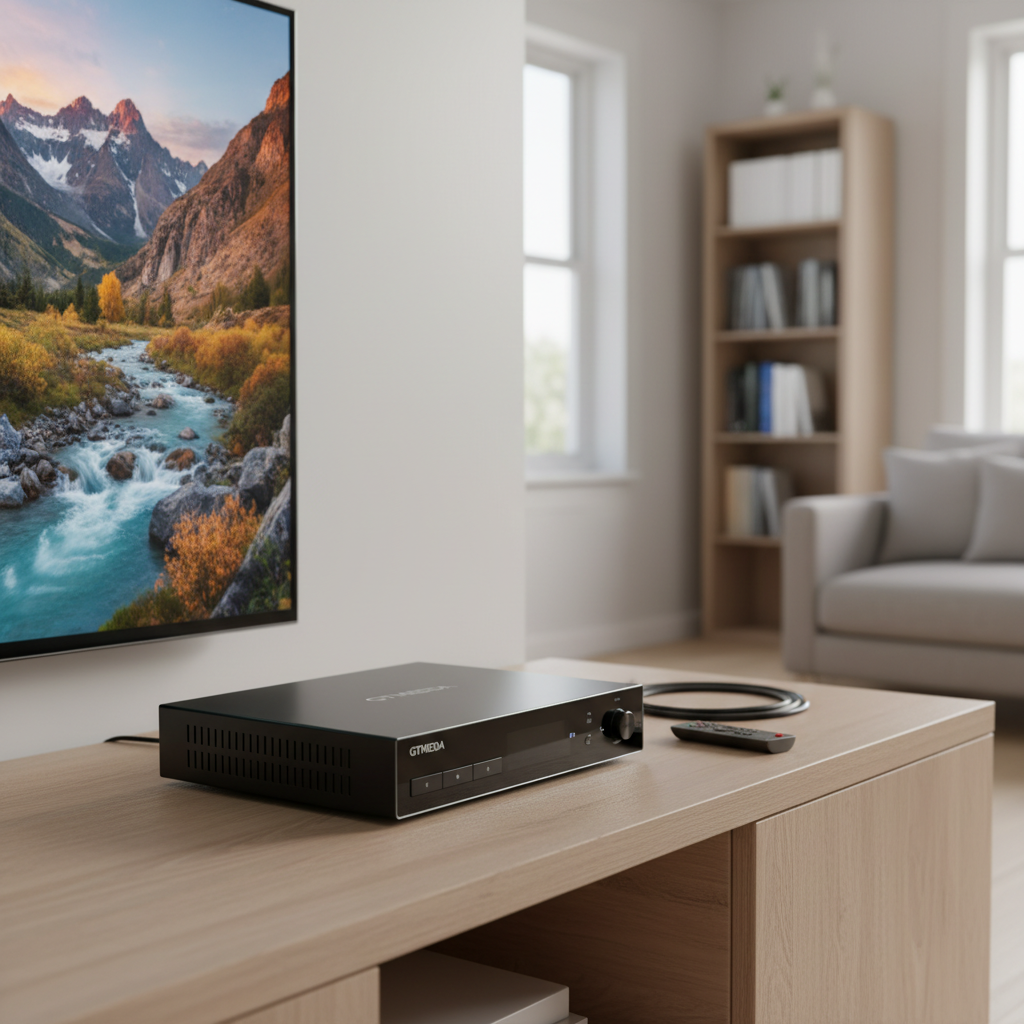
A digital receiver, also commonly known as a set-top box or satellite receiver, is an electronic device that tunes into digital television signals, decodes them, and converts them into a format viewable on your television. Unlike traditional analog receivers, digital models offer superior picture and sound quality, broader channel access, and a host of advanced features. The GTMedia V8 UHD is a prime example of a modern digital receiver, capable of processing various broadcasting standards.
There are several popular types of digital receivers available, each designed for different signal sources.
- DVB-T2 (Digital Video Broadcasting – Second Generation Terrestrial): For receiving over-the-air digital terrestrial television broadcasts.
- DVB-S2 (Digital Video Broadcasting – Second Generation Satellite): Designed for receiving digital satellite television signals from a dish antenna. This is the primary function of the GTMedia V8 UHD.
- DVB-C (Digital Video Broadcasting – Cable): Used for receiving digital cable television signals.
The GTMedia V8 UHD stands out as a “combo” receiver, meaning it supports multiple standards including DVB-S/S2/S2X for satellite, DVB-T/T2 for terrestrial, and DVB-C for cable. This versatility makes it a comprehensive solution for various signal inputs.
The advantages of a multi-standard receiver like the GTMedia V8 UHD are significant. It simplifies your setup by eliminating the need for multiple boxes, reduces clutter, and often provides a unified user interface for all your channels. The primary drawback can sometimes be the complexity of initial setup if you’re configuring multiple signal types.
Essential Factors When Choosing a Digital Receiver
When investing in a digital receiver, several key aspects demand your attention to ensure it aligns perfectly with your entertainment preferences and technical setup. The GTMedia V8 UHD excels in many of these areas, but understanding your specific requirements is crucial.
Compatibility
Ensuring your digital receiver is compatible with your existing equipment and desired broadcast standards is paramount.
- Broadcasting Standards: The GTMedia V8 UHD is highly versatile, supporting DVB-S/S2/S2X (satellite), DVB-T/T2 (terrestrial), DVB-C (cable), ISDBT, and ATSC-C standards. This broad compatibility means it can receive a wide array of signals from different sources globally.
- Resolution Support: For stunning visuals, the V8 UHD supports 4K Ultra HD resolution, delivering crisp images at up to 75 frames per second (fps). It also handles various other resolutions like 480i/P, 576i/P, 720P, and 1080i/P, ensuring backward compatibility with older content.
- Connectivity Ports: A well-equipped receiver offers flexible connection options. The GTMedia V8 UHD typically includes:
- HDMI 2.0 Output: Essential for true 4K output to your modern television.
- LNB IN: For connecting your satellite dish.
- ANT IN: For terrestrial/cable antenna input.
- USB Ports: Usually two USB 2.0 ports for external storage (PVR), Wi-Fi adapters (if not built-in), or CAM modules.
- Ethernet Port: For stable wired internet connection and firmware updates.
- SCART Port: Useful for connecting to older televisions.
- Coaxial Audio Output: For digital audio to an amplifier or home theater system.
|
Our Picks for the Best Digital receiver in 2026
As an Amazon Associate I earn from qualifying purchases.
|
||
| Num | Product | Action |
|---|---|---|
| 1 | Pyle 200W Stereo Power Amplifier with Bluetooth - Dual Channel Audio Receiver - LED Display - RCA - USB - SD - MIC IN - FM Radio - AUX Input - Perfect for Home & Computer Audio - PDA29BU.5 |

|
| 2 | Donner Stereo Audio Amplifier, 600W Peak 2 Channel Receiver with Bluetooth 5.3, Phono, Optical, Coaxial, USB, FM, 2 Mic-in, Aux, RCA Input for Home, Karaoke, Theater Speakers, MAMP2 |
|
| 3 | Pyle 4-Channel Audio Amplifier with Bluetooth - Home Stereo Receiver w/ 500W Max Power - Commercial or Karaoke - Dual Mic Input with Echo, Vol, Talk-Over - AUX In - Sub Out - USB-A MP3 Player, AM/FM |
|
| 4 | Digital TV Converter Box, ATSC Tv Tuner - ZJBOX for Analog HDTV Live 1080P with Recording&Playback,HDMI Output, Timer Setting Tuner Function Digital Channel Free |
|
| 5 | Denon AVR-S570BT AV Receiver 5.2 Channel 8K Ultra HD Audio & Video, Stereo Receivers, Denon AVR Wireless Streaming Bluetooth, (4) 8K HDMI Inputs, eARC, HD Setup Assistant |
|
| 6 | Denon AVR-X1700H 7.2 Channel AV Receiver - 80W/Channel, Advanced 8K HDMI Video w/eARC, Dolby Atmos, DTS:X, Built-in HEOS, Amazon Alexa Voice Control |
|
| 7 | Pyle Home Stereo Receiver with Bluetooth - 4 Channel Amplifier, 800 Watt Max, USB-A Input w MP3 Player, Easy Karaoke Setup with Mic Vol, Reverb and Delay, RCA in/Out, SD Card, FM Radio - PDA77BU |
|
| 8 | Sony STRDH190 2-ch Home Stereo Receiver with Phono Inputs & Bluetooth Black |
|
| 9 | YAMAHA R-S202BL Stereo Receiver |
|
| 10 | Daakro AK45 Stereo Audio Amplifier,300W Home 2 Channel Wireless Bluetooth 5.0 Power Amplifier System, Home Amplifiers FM Radio, USB, SD Card, with Remote Control Home Theater Audio Stereo System |
|
Features
Beyond basic reception, modern digital receivers offer a suite of features that enhance your viewing experience. The GTMedia V8 UHD packs several advanced functionalities.
- Program Recording (PVR): The V8 UHD allows you to record live television programs to an external USB drive, so you never miss your favorite shows. This includes scheduled recordings and instant recording functions.
- Electronic Program Guide (EPG): A comprehensive EPG provides a detailed listing of current and upcoming programs, making it easy to plan your viewing.
- Online Streaming and Multimedia: With built-in 2.4G Wi-Fi connectivity and Ethernet support, the GTMedia V8 UHD can access online services such as YouTube, Web TV, and Xtream. It also supports DLNA and SAT To IP, enabling streaming of content across your home network.
- Advanced Decoding: The receiver supports multi-format ultra-high definition video decoding (MPEG1/2/4, H.264/265, VC-1, AVS/AVS+, VP8, VP9) and advanced features like PowerVU, DRE, and Biss key auto-roll, offering broader access to various satellite transmissions. Some sources note that earlier versions might require a Wi-Fi dongle, but current models often integrate a 2.4G Wi-Fi module.
Brand and Price
Choosing a reputable brand and evaluating the price-to-performance ratio is crucial for satisfaction.
- Reputable Brands: While not a household name like some traditional TV brands, GTMedia has carved out a niche for offering feature-rich satellite receivers at competitive prices. They are particularly popular among enthusiasts who appreciate customization.
- Price Comparison: The GTMedia V8 UHD typically ranges from $60–$90 USD, depending on the seller and included accessories. This positions it as an affordable entry point into 4K satellite reception. When comparing, be wary of prices significantly below this range, as they might indicate cloned or refurbished units with compromised quality. The value offered by the V8 UHD often exceeds its price, especially given its 4K capabilities and multi-standard support.
Comparing GTMedia V8 UHD with Popular Alternatives
The market for digital receivers offers various options, but the GTMedia V8 UHD distinguishes itself through its blend of features and affordability. Here’s a comparative look to highlight its position against some competitors:
| Model | 4K Support | RAM | Wi-Fi | Custom Firmware | Approx. Price |
|---|---|---|---|---|---|
| GTMedia V8 UHD | Yes (HDMI 2.0) | 512MB | Built-in 2.4G (or USB dongle) | Yes (community-supported) | $70 |
| Formuler Z11 Pro Max | Yes | 2GB | Yes (dual-band) | Limited | $120 |
| Dreambox DM920 | Yes | 1GB | Yes | Official OpenPLi support | $250 |
| Octagon SF4008 | Yes | 1GB | Yes | Moderate | $180 |
The GTMedia V8 UHD generally offers a cost-effective solution for users seeking 4K satellite reception and customization. While competitors like the Formuler Z11 Pro Max, Dreambox DM920, and Octagon SF4008 often boast more RAM, integrated dual-band Wi-Fi, and more polished user interfaces or official support, they come at a significantly higher price point. The V8 UHD’s strength lies in its active user community and strong performance for free-to-air (FTA) satellite viewing, making it a compelling choice for budget-conscious enthusiasts willing to engage with community-driven firmware improvements.
Your Ultimate Guide to Purchasing the GTMedia V8 UHD
Navigating the market for a digital receiver requires a clear strategy to ensure you get a genuine product that meets your expectations. Here’s how to approach buying your GTMedia V8 UHD.
Identify Your Needs and Budget
Before looking at products, consider what you primarily want from a digital receiver. Are you focused on:
- Terrestrial TV (DVB-T2): For local over-the-air channels.
- Satellite TV (DVB-S2/S2X): For a vast array of international or niche satellite channels.
- Cable TV (DVB-C): If you subscribe to a cable provider and want an alternative receiver.
- Online Streaming: For platforms like YouTube or Web TV.
- PVR Functionality: The ability to record programs.
The GTMedia V8 UHD’s combo capabilities make it suitable for all these, but knowing your priority helps in setting up and maximizing its use. Establish a budget, keeping in mind the typical price range of $60-$90 for a genuine unit.
Research and Authenticity
The popularity of the GTMedia V8 UHD has led to the emergence of clone or rebranded units. To avoid counterfeit products:
- Purchase from Authorized Sellers: Stick to reputable online retailers or distributors with clear business registration and verifiable contact information. Listings with generic photos or unusually low prices are red flags.
- Check Hardware Revision: If possible, inquire about the PCB version number. Later revisions often include improvements in thermal management and stability.
- Confirm Firmware Version: Aim for units that ship with firmware v2.2.0 or newer, as these include crucial fixes for H.265 playback and network stability. Community forums are excellent resources for the latest verified firmware.
- Read Reviews and Comparisons: Delve into user reviews on various platforms. Common praises include fast channel switching and solid 4K playback. Downsides often relate to inconsistent build quality in certain batches and limited official technical support.
Post-Purchase Checks
Once your GTMedia V8 UHD arrives, perform these checks to ensure full functionality:
- Test Connectivity: Immediately test all ports—USB, Ethernet, and HDMI—with your TV. A wired internet connection is recommended for initial firmware updates.
- Evaluate Scanning Performance: Conduct a full transponder scan on a known satellite. A genuine unit should typically detect a significant number of channels quickly.
- Review Return Policies: Understand the seller’s return and warranty policies, as official warranty coverage for GTMedia can be limited.
Installation and Setup Tips
Installing the GTMedia V8 UHD is generally straightforward:
- Physical Connection: Connect the LNB IN to your satellite dish and/or ANT IN to your terrestrial/cable antenna. Use an HDMI 2.0 cable for the best 4K picture quality to your TV. Connect the power adapter.
- Initial Setup Wizard: Upon first power-on, follow the on-screen prompts to select your language and region.
- Network Configuration: Navigate to the ‘Network’ section. If you have built-in Wi-Fi, select your network and enter the password. For wired internet, connect an Ethernet cable, and it should automatically obtain an IP address.
- Channel Scan: Go to the ‘Install’ or ‘Channel’ menu to perform a satellite or terrestrial/cable scan. Configure LNB type, frequency, and DiSEqC settings for satellite if needed, or initiate an auto-scan for terrestrial/cable. Save your scanned channels.
Remember, a little due diligence during the buying process can save you from potential headaches and ensure a smooth, enjoyable experience with your new receiver.
Maximizing Your Experience: Tips for Using and Maintaining Your GTMedia V8 UHD
Once you’ve set up your GTMedia V8 UHD, understanding how to use its features effectively and keep it in top condition will ensure a long-lasting and satisfying entertainment experience.
Getting the Most Out of Your Receiver
- Explore EPG: Utilize the Electronic Program Guide to browse upcoming shows and set reminders or recordings. This feature is invaluable for planning your viewing.
- Master PVR: Connect a USB drive (FAT32 formatted) to record your favorite programs. Most remotes have a dedicated record button for instant recording. You can also schedule recordings via the EPG.
- Discover Online Features: Connect your receiver to the internet via its built-in Wi-Fi or Ethernet port to access applications like YouTube, Web TV, or Xtream, expanding your content options beyond traditional broadcasts.
- Network Sharing (Multi-Room): If supported, some GTMedia units allow “Multi-Room” functionality within the same local area network (LAN), enabling sharing of softcams or other features across multiple compatible receivers.
- Customize Settings: Don’t shy away from the settings menu. You can fine-tune video resolution, audio outputs, aspect ratio, and network preferences to optimize performance for your specific TV and home network.
Keeping Your Receiver in Top Condition
- Software Updates: Regularly check for firmware updates. GTMedia often releases updates that improve performance, add features, fix bugs, and enhance satellite scanning accuracy. Download the latest
.binfile from the official GTMedia website, copy it to a FAT32-formatted USB drive, insert it into the receiver, and use the ‘USB Upgrade’ option in the settings menu. Always back up your current firmware before updating. - Proper Ventilation: Digital receivers can generate heat. Ensure your GTMedia V8 UHD is placed in a well-ventilated area, away from direct sunlight, and avoid covering its ventilation slots. Do not stack other electronic equipment on top of it, as this can impede airflow and lead to overheating, potentially shortening its lifespan.
- Regular Cleaning: Use a soft, dry cloth to clean the exterior of the receiver. Avoid liquid cleaners or aerosols. Gently remove dust buildup from ventilation areas with compressed air every six months to maintain optimal cooling.
- Power Protection: Disconnect the receiver from the mains during electrical storms or when it will be unused for extended periods. Using a surge protector is a wise investment to safeguard your device from power fluctuations.
- Careful Connections: Always disconnect the STB from the mains before connecting or disconnecting cables from your satellite dish or television to prevent potential damage to the LNB or TV.
By following these tips, you can ensure your GTMedia V8 UHD Satellite Receiver continues to deliver high-quality entertainment reliably for years to come.
Conclusion
The GTMedia V8 UHD Satellite Receiver presents a compelling package for anyone seeking a versatile and affordable 4K digital entertainment hub. Its comprehensive support for DVB-S/S2/S2X, DVB-T/T2, and DVB-C standards, coupled with 4K UHD output and robust multimedia features, makes it an excellent choice for a wide range of users. While it thrives on community support for firmware enhancements and requires a discerning eye during purchase to ensure authenticity, its performance for free-to-air satellite content at its price point is hard to beat. If you prioritize customization, high-resolution viewing, and broad compatibility without a premium price tag, the GTMedia V8 UHD stands ready to elevate your viewing experience. Are you ready to unlock a world of crystal-clear entertainment?
Frequently Asked Questions
Can the GTMedia V8 UHD receive 4K channels?
Yes, the GTMedia V8 UHD supports 4K Ultra HD playback via its HDMI 2.0 output. This requires the broadcast source to transmit in 4K resolution and use compatible encoding like HEVC/H.265 for optimal picture quality on a compatible TV.
Does the GTMedia V8 UHD work with all satellites worldwide?
The receiver is compatible with DVB-S2 standards, which are used globally. However, successful reception depends on factors such as your satellite dish size, LNB type, and having a clear line-of-sight to the specific satellite in your region.
Is custom firmware safe to install on the GTMedia V8 UHD?
Installing custom firmware from trusted community sources can enhance functionality and fix issues, but it carries a risk. Flashing an incorrect file can potentially “brick” your device. Always back up your current firmware and follow instructions carefully from reputable sources.
Does the GTMedia V8 UHD have built-in Wi-Fi?
Yes, current versions of the GTMedia V8 UHD are typically equipped with a built-in 2.4G Wi-Fi module, offering wireless internet connectivity. Some older models or certain variants might require a USB Wi-Fi dongle, so it’s advisable to check product specifications.
How do I update the firmware on my GTMedia V8 UHD?
To update the firmware, download the latest .bin file from the official GTMedia website. Copy it to a FAT32-formatted USB drive, insert the drive into the receiver, and then navigate to the ‘Menu’ > ‘Upgrade’ > ‘USB Upgrade’ section to initiate the update process.