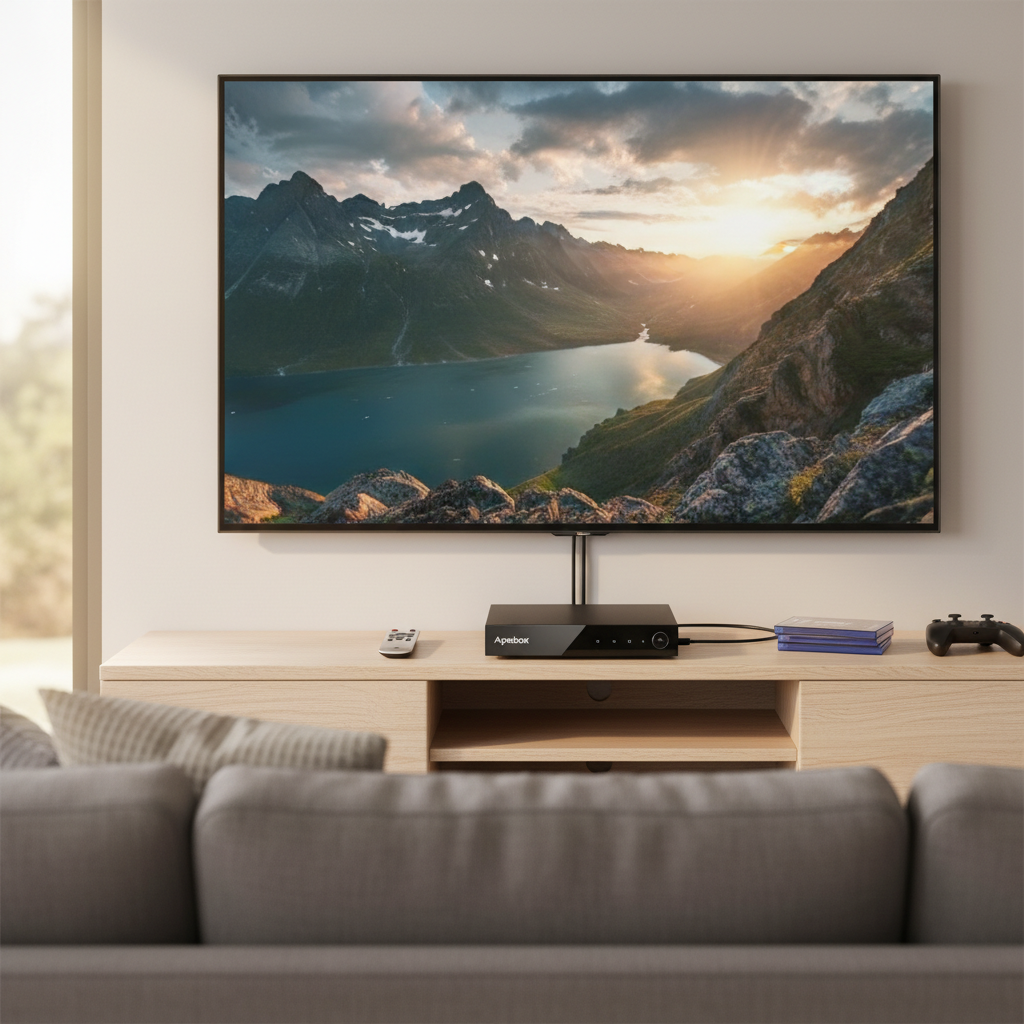
In the ever-evolving landscape of home entertainment, many are cutting the cord from traditional cable, seeking more flexible and affordable options. For those who still cherish live, local television broadcasts, an Over-The-Air (OTA) Digital Video Recorder (DVR) is indispensable. The Nuvyyo Tablo Quad HDMI OTA DVR positions itself as a premium choice for capturing and managing free antenna TV, offering a direct-to-TV experience with uncompromised picture quality. If you’re looking to record your favorite network shows, pause live TV, and skip commercials, all while enjoying pristine video, this review will help you determine if the Tablo Quad HDMI is the perfect fit for your entertainment setup.
What is the Nuvyyo Tablo Quad HDMI OTA DVR?
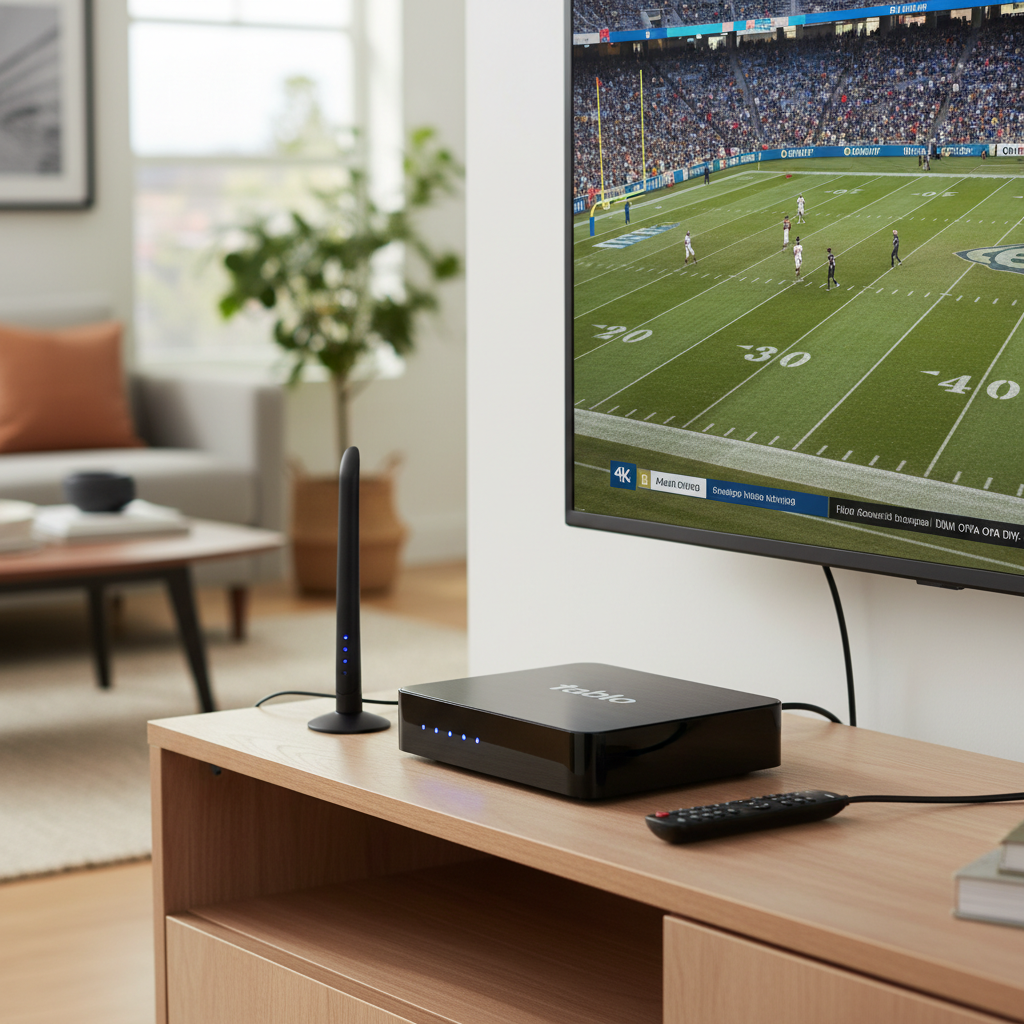
The Nuvyyo Tablo Quad HDMI is a dedicated Over-The-Air (OTA) Digital Video Recorder designed to capture free broadcast television signals received via an antenna. Unlike some of its network-connected siblings that primarily stream content to various devices, this model connects directly to your television using an HDMI cable, delivering a familiar, traditional DVR experience. Its core purpose is to allow cord-cutters to watch, pause, and record live local channels from networks like ABC, CBS, Fox, NBC, and PBS, mirroring the functionality of a cable DVR without the associated monthly fees for basic service.
This device stands out by processing video in its native MPEG2 format, meaning it delivers the broadcast signal directly to your TV without re-compression. This preserves the original high definition quality, making it a favorite for videophiles who prioritize picture fidelity over file size optimization or extensive remote streaming capabilities. It’s built for those who appreciate a straightforward setup with their main TV, offering an alternative to streaming-centric DVRs that often transcode video for broader device compatibility.
Key Features and Specifications
The Tablo Quad HDMI is packed with features designed to enhance your free TV viewing and recording experience:
- Four ATSC 1.0 Tuners: This model boasts four built-in ATSC 1.0 tuners, enabling you to record up to four different live over-the-air shows simultaneously. This is ideal for households with diverse viewing interests or for scheduling multiple overlapping programs.
- Native MPEG2 Video Quality: A significant advantage of the Tablo Quad HDMI is its ability to record and display OTA TV in its raw MPEG2 video format. This means you get the broadcast resolution and bitrate, including 1080i at 30 frames per second (fps) and 720p at 60 fps, delivering full 1080 picture and Dolby surround sound, virtually identical to a direct antenna connection. This uncompressed approach results in superior picture quality compared to DVRs that compress video.
- Direct HDMI Output: For a traditional DVR setup, the Tablo Quad HDMI connects directly to your TV via an HDMI port. This allows for a dedicated viewing interface on your main television.
- Included Remote Control: The device comes with its own dedicated infrared (IR) remote. This remote can also automatically switch to the Tablo device’s HDMI input and even control the power and volume on supported TVs through CEC (Consumer Electronics Control).
- External USB Storage: The Tablo Quad HDMI requires an external USB hard drive (sold separately) for storing recordings. It supports drives ranging from 1TB to 8TB. A 1TB drive can typically store approximately 130 hours of HDTV recordings, so choosing a larger drive might be beneficial depending on your recording habits. It does not include an onboard compartment for internal SATA drives.
- Connectivity Options: While it’s TV-connected, the Tablo Quad HDMI utilizes both Ethernet and Wi-Fi for network access. An internet connection is required for initial setup and for downloading the TV Guide Data. For optimal performance, especially when streaming to secondary devices, an Ethernet connection is recommended.
- TV Guide Data Service: Basic live TV recording and playback are available without a subscription. However, for a richer experience, an optional TV Guide Data Service subscription unlocks advanced features such as a 14-day live TV grid guide, one-touch series recording, advanced recording options (like adjustable start/stop times and keeping X recordings), and automatic commercial skip.
- In-Home Streaming: With an active TV Guide Data Service subscription, the Tablo Quad HDMI can stream live and recorded antenna TV to up to four secondary televisions in your home. This is achieved through free Tablo apps available on streaming set-top boxes and Smart TVs running platforms like Roku, Amazon Fire TV, and Android TV. It’s important to note, however, that this model does not support out-of-home streaming to mobile devices, a common feature in network-connected DVRs.
- Reduced Internet Dependency for Basic Viewing: Once set up, the Tablo Quad HDMI can continue to provide live and recorded programming on your primary television without internet access for up to two weeks, making it suitable for locations with intermittent internet.
|
Our Picks for the Best Digital receiver in 2026
As an Amazon Associate I earn from qualifying purchases.
|
||
| Num | Product | Action |
|---|---|---|
| 1 | Denon AVR-S570BT AV Receiver 5.2 Channel 8K Ultra HD Audio & Video, Stereo Receivers, Denon AVR Wireless Streaming Bluetooth, (4) 8K HDMI Inputs, eARC, HD Setup Assistant |

|
| 2 | Digital TV Converter Box, ATSC Tv Tuner - ZJBOX for Analog HDTV Live 1080P with Recording&Playback,HDMI Output, Timer Setting Tuner Function Digital Channel Free |
|
| 3 | Denon AVR-X1700H 7.2 Channel AV Receiver - 80W/Channel, Advanced 8K HDMI Video w/eARC, Dolby Atmos, DTS:X, Built-in HEOS, Amazon Alexa Voice Control |
|
| 4 | Pyle 4-Channel Audio Amplifier with Bluetooth - Home Stereo Receiver w/ 500W Max Power - Commercial or Karaoke - Dual Mic Input with Echo, Vol, Talk-Over - AUX In - Sub Out - USB-A MP3 Player, AM/FM |
|
| 5 | Donner Stereo Audio Amplifier, 600W Peak 2 Channel Receiver with Bluetooth 5.3, Phono, Optical, Coaxial, USB, FM, 2 Mic-in, Aux, RCA Input for Home, Karaoke, Theater Speakers, MAMP2 |
|
| 6 | Pyle 200W Stereo Power Amplifier with Bluetooth - Dual Channel Audio Receiver - LED Display - RCA - USB - SD - MIC IN - FM Radio - AUX Input - Perfect for Home & Computer Audio - PDA29BU.5 |
|
| 7 | Sony STRDH190 2-ch Home Stereo Receiver with Phono Inputs & Bluetooth Black |
|
| 8 | YAMAHA R-S202BL Stereo Receiver |
|
| 9 | Daakro AK45 Stereo Audio Amplifier,300W Home 2 Channel Wireless Bluetooth 5.0 Power Amplifier System, Home Amplifiers FM Radio, USB, SD Card, with Remote Control Home Theater Audio Stereo System |
|
| 10 | Pyle Home Stereo Receiver with Bluetooth - 4 Channel Amplifier, 800 Watt Max, USB-A Input w MP3 Player, Easy Karaoke Setup with Mic Vol, Reverb and Delay, RCA in/Out, SD Card, FM Radio - PDA77BU |
|
Performance and User Experience
Evaluating the Nuvyyo Tablo Quad HDMI reveals a device focused on delivering a high-quality, reliable OTA DVR experience, particularly for those who value direct TV connectivity.
Picture and Sound Fidelity
One of the most praised aspects of the Tablo Quad HDMI is its excellent picture and Dolby surround sound quality. By recording and displaying content in native MPEG2 format, it avoids the compression artifacts sometimes seen with other DVRs that transcode video. The result is a crisp, clear image and rich audio that is virtually as good as what you would get from a direct antenna connection. This is a significant draw for users prioritizing an uncompromised viewing experience.
Tuner Sensitivity
The device’s tuner sensitivity is generally very good. Many users report that the Tablo Quad HDMI is capable of picking up more channels than the internal tuner on their television set, which can be a crucial factor for those in fringe reception areas. The quality of your antenna and its placement will, of course, heavily influence the number and stability of channels received.
User Interface and Navigation
The Tablo software experience is generally considered user-friendly, offering an intuitive interface for browsing upcoming shows, scheduling recordings, and managing your library. Power users will appreciate advanced scheduling options. However, some reviews mention that initial channel loading times can be a bit slower, sometimes taking upwards of eight seconds, as the system buffers content onto the hard drive. While the device does remember your last viewed channel for quicker access, the initial wait can be a minor drawback.
Recording Capabilities
With four tuners, the Tablo Quad HDMI offers robust recording capabilities. You can easily schedule single episodes or entire series, with options to record all episodes or just new ones. The advanced recording features, available with a subscription, allow for fine-tuning start and stop times, avoiding duplicate recordings, and automatic commercial skip, significantly enhancing the DVR functionality.
Internet Dependency
While an internet connection is necessary for the initial setup and to download the 14-day TV guide data, the Tablo Quad HDMI is less reliant on continuous internet access for basic viewing and recording on your primary television. It can function for up to two weeks without an internet connection for live and recorded content, making it a viable option for RV users or those in rural areas with less stable internet. However, streaming to secondary devices or updating guide data will, naturally, require a network connection.
Pros and Cons: Weighing Your Options
Choosing an OTA DVR involves balancing various factors. Here’s a look at the advantages and disadvantages of the Nuvyyo Tablo Quad HDMI.
Advantages:
- Superior Video and Audio Quality: By maintaining native MPEG2 broadcast quality, the Tablo Quad HDMI delivers uncompressed, crystal-clear 1080p picture and Dolby surround sound, offering an experience very close to direct antenna reception.
- Four Tuners: The ability to record up to four shows concurrently provides significant flexibility, ensuring you don’t miss any of your favorite programs, even during peak viewing times.
- Traditional TV-Connected Experience: Its direct HDMI output and included dedicated remote cater to users who prefer a familiar, conventional DVR setup without relying on streaming apps for their primary TV.
- Reduced Internet Reliance: After initial setup, the device can operate for a substantial period without an internet connection for basic viewing and recording on the main TV, which is beneficial for areas with inconsistent internet.
- Automatic Commercial Skip: Available with a subscription, this feature significantly enhances the viewing experience by automatically fast-forwarding through advertisements.
Disadvantages:
- Subscription Required for Full Features: While basic recording is free, advanced features like the 14-day TV guide, series recording, and commercial skip necessitate a paid TV Guide Data Service subscription. This contrasts with some newer Tablo models (like the 4th Gen) which offer these features subscription-free.
- No Out-of-Home or Mobile Streaming: Unlike many network-connected DVRs, the Tablo Quad HDMI does not support streaming to mobile devices or viewing recordings when you are away from home. In-home streaming to secondary TVs is possible but requires a subscription.
- External Storage Needed: The device lacks integrated storage, requiring users to purchase and connect a separate USB hard drive, which adds to the overall cost and physical footprint. It also doesn’t support internal SATA drives like some older Tablo models.
- Slower Initial Channel Loading: Some users report that channels can take up to eight seconds to load initially, a minor but noticeable delay compared to direct antenna viewing.
Setting Up and Optimizing Your Tablo Quad HDMI
Getting your Nuvyyo Tablo Quad HDMI up and running is a straightforward process, designed to integrate seamlessly into your home entertainment system.
Installation Steps
- Physical Connections: Begin by connecting your OTA antenna to the “Antenna In” port on the Tablo. Next, connect the Tablo to your TV using the included HDMI cable. Plug in your chosen external USB hard drive (1TB-8TB, sold separately) into the USB port. Finally, connect the power adapter and plug it into an outlet.
- Network Connection: For the initial setup and ongoing guide data downloads, connect the Tablo to your home network. You can use an Ethernet cable for a wired, more reliable connection, or utilize the built-in Wi-Fi.
- Initial Setup on TV: Power on your TV and switch to the HDMI input where your Tablo is connected. Follow the on-screen prompts to configure your device, including connecting to Wi-Fi (if not using Ethernet) and scanning for available channels.
- Remote Pairing: The included IR remote will typically be paired during the initial setup. This remote allows you to navigate the Tablo interface and can often be configured to control basic TV functions like power and volume via CEC.
Finding Channels
Optimal antenna placement is crucial for maximizing the number and quality of channels you receive. Experiment with different locations (e.g., higher up, near a window) and re-run the channel scan in the Tablo interface until you achieve the best possible signal strength for your local broadcasts. The Tablo’s good tuner sensitivity can help, but a strong antenna signal is foundational.
Enhancing Performance
- Antenna Signal: Invest in a high-quality antenna appropriate for your location and ensure it’s correctly positioned. A signal amplifier might be beneficial in certain circumstances.
- Wired Connection: For the most stable experience, especially if you plan to stream to multiple devices within your home, connect your Tablo to your router via an Ethernet cable rather than relying solely on Wi-Fi.
- USB Hard Drive: Choose a reputable, reliable external USB hard drive. Look for drives designed for continuous operation, as they will be constantly spinning during recordings.
- Subscription Benefits: To unlock the full potential of your Tablo Quad HDMI, consider subscribing to the TV Guide Data Service. This will give you access to the 14-day guide, advanced recording features, and the convenient automatic commercial skip.
Final Verdict: Is the Tablo Quad HDMI Right for You?
The Nuvyyo Tablo Quad HDMI OTA DVR stands as a strong contender in the market for cord-cutters seeking a high-quality, TV-connected solution for their over-the-air television needs. Its four tuners ensure you can record multiple shows without conflict, and its commitment to native MPEG2 video means you’ll enjoy broadcast quality picture and sound. This device is particularly well-suited for users who prioritize a traditional DVR experience directly on their main television and value pristine video fidelity above all else.
While it does require an external hard drive and an optional subscription for its most advanced features, the core benefit of free, high-quality local TV recording makes it a compelling choice. If your viewing habits are primarily centered at home and you don’t require out-of-home mobile streaming, the Tablo Quad HDMI offers a robust and user-friendly way to manage your antenna TV. It successfully bridges the gap between old-school cable DVR convenience and modern cord-cutting independence.
Are you ready to embrace the freedom of free OTA TV with a DVR that doesn’t compromise on quality?
Frequently Asked Questions
Does the Nuvyyo Tablo Quad HDMI require a subscription?
Basic live TV recording and playback are supported without a subscription. However, a paid TV Guide Data Service subscription is needed for advanced features like a 14-day program guide, one-touch series recording, and the automatic commercial skip function.
Can I watch Tablo Quad HDMI recordings on my phone away from home?
No, the Nuvyyo Tablo Quad HDMI OTA DVR does not support out-of-home streaming to mobile devices. Its in-home streaming capabilities, available with a subscription, are limited to compatible streaming devices and Smart TVs within your home network.
What kind of hard drive do I need for the Tablo Quad HDMI?
The Tablo Quad HDMI requires an external USB hard drive, sold separately. It is compatible with USB 2.0 or 3.0 hard drives ranging from 1TB to 8TB in capacity. It’s recommended to choose a reliable drive designed for continuous use.
How does the Tablo Quad HDMI compare to the 4th Gen Tablo?
The Tablo Quad HDMI records in native, uncompressed MPEG2 for superior picture quality directly to your TV and typically requires a subscription for advanced features. The newer 4th Gen Tablo models are generally network-connected, often include some onboard storage, are subscription-free for all features, and may transcode video for broader streaming compatibility, though some newer 4th Gen models are also emphasizing raw MPEG2.