In a world increasingly dominated by smart TVs and streaming services, many still cherish their reliable analog televisions. But with the digital television transition, these beloved sets need a little help to access today’s over-the-air broadcasts. This is where a digital tuner like the Zinwell ZAT-970A comes into play, offering a practical and cost-effective solution. With over a decade of experience in digital receiving equipment, from the earliest models to the latest innovations, I’ve personally tested and evaluated countless products. This deep dive into the Zinwell ZAT-970A is designed to share practical knowledge and real-world insights, helping you decide if this classic digital converter box is the right fit for your needs and budget.
What is the Zinwell ZAT-970A Digital Tuner?
The Zinwell ZAT-970A Digital Tuner is an ATSC (Advanced Television Systems Committee) compliant digital to analog TV converter box. Its primary purpose is to convert digital television signals, which are the standard for over-the-air broadcasts today, into an analog format that older, non-digital televisions can display. Essentially, it acts as an interpreter, allowing your existing analog TV to receive and display free digital channels without needing an expensive upgrade to a new digital-ready television. This device was particularly vital during the widespread digital TV transition, ensuring that millions of households could continue watching broadcast television. It’s designed for users who want to extend the life of their analog TVs, access free local channels, or need a straightforward solution for setups with limited cable access, such as in RVs or cabins.
Key Features and Specifications of the Zinwell ZAT-970A
The Zinwell ZAT-970A is packed with features designed for ease of use and compatibility with a wide range of older television sets. Its specifications highlight its ability to deliver a robust viewing experience for analog TV owners.
-
Compatibility:
- Broadcast Standards: Fully ATSC and MPEG-2 Digital compliant, meaning it can receive a broad spectrum of digital broadcast formats as standardized by the FCC. It supports all 18 ATSC broadcast formats.
- RF Channels: Capable of receiving RF channels 2 through 69, ensuring access to most available over-the-air digital frequencies.
- Resolution Support: While converting to analog, it is compatible with SDTV, EDTV, and HDTV displays, adjusting the output for your analog set.
- Connectivity: Offers both standard RF antenna output (Channel 3/4 selectable) and RCA composite video with stereo audio outputs, providing versatile connection options for older TVs. Crucially, it includes an analog pass-through feature, allowing it to receive legacy low-power analog stations if any still exist in your area.
-
Functionality:
- Programmable Timers: A standout feature, it includes 8 programmable timers, making it incredibly useful for recording shows with an external VCR or DVD recorder. This adds significant utility beyond basic channel conversion.
- Electronic Program Guide (EPG): An on-screen program guide provides details like show lengths and descriptions, helping you navigate available programming.
- Parental Controls: Equipped with V-chip technology, it allows for digital parental control, including lockable channels and support for downloadable Rating Region tables, helping families manage content.
- Closed Captioning & Emergency Alert System (EAS): Supports closed captioning for the hearing impaired and is compliant with the Emergency Alert System.
- Channel Scan: Features both automatic and manual channel scanning options for easy setup and fine-tuning.
- Multilingual Support: The on-screen menu is available in English, French, and Spanish, enhancing user accessibility.
-
Design & Performance:
- Compact Design: Measuring approximately 6.9 x 5.3 x 1.3 inches and weighing less than a pound (around 0.6 ounces or 785 grams depending on packaging/accessories), its low-profile, compact design allows it to fit easily in tight spaces near your TV.
- Audio Decoding: Decodes Dolby AC-3 audio, providing clear and enhanced sound quality on analog TVs.
- Aspect Ratio: Supports selectable aspect ratios of 4:3 or 16:9, ensuring compatibility with various TV screen types and broadcast formats.
- Energy Efficiency: Compliant with Energy Star standards, the ZAT-970A features an energy-efficient design and will shut off when not in use.
- Software Upgradeable: The device’s software is upgradeable, potentially allowing for future enhancements or fixes.
|
Our Picks for the Best Digital receiver in 2026
As an Amazon Associate I earn from qualifying purchases.
|
||
| Num | Product | Action |
|---|---|---|
| 1 | Daakro AK45 Stereo Audio Amplifier,300W Home 2 Channel Wireless Bluetooth 5.0 Power Amplifier System, Home Amplifiers FM Radio, USB, SD Card, with Remote Control Home Theater Audio Stereo System |

|
| 2 | Denon AVR-S570BT AV Receiver 5.2 Channel 8K Ultra HD Audio & Video, Stereo Receivers, Denon AVR Wireless Streaming Bluetooth, (4) 8K HDMI Inputs, eARC, HD Setup Assistant |
|
| 3 | Pyle 200W Stereo Power Amplifier with Bluetooth - Dual Channel Audio Receiver - LED Display - RCA - USB - SD - MIC IN - FM Radio - AUX Input - Perfect for Home & Computer Audio - PDA29BU.5 |
|
| 4 | Pyle 4-Channel Audio Amplifier with Bluetooth - Home Stereo Receiver w/ 500W Max Power - Commercial or Karaoke - Dual Mic Input with Echo, Vol, Talk-Over - AUX In - Sub Out - USB-A MP3 Player, AM/FM |
|
| 5 | Donner Stereo Audio Amplifier, 600W Peak 2 Channel Receiver with Bluetooth 5.3, Phono, Optical, Coaxial, USB, FM, 2 Mic-in, Aux, RCA Input for Home, Karaoke, Theater Speakers, MAMP2 |
|
| 6 | Pyle Home Stereo Receiver with Bluetooth - 4 Channel Amplifier, 800 Watt Max, USB-A Input w MP3 Player, Easy Karaoke Setup with Mic Vol, Reverb and Delay, RCA in/Out, SD Card, FM Radio - PDA77BU |
|
| 7 | YAMAHA R-S202BL Stereo Receiver |
|
| 8 | Denon AVR-X1700H 7.2 Channel AV Receiver - 80W/Channel, Advanced 8K HDMI Video w/eARC, Dolby Atmos, DTS:X, Built-in HEOS, Amazon Alexa Voice Control |
|
| 9 | Sony STRDH190 2-ch Home Stereo Receiver with Phono Inputs & Bluetooth Black |
|
| 10 | Digital TV Converter Box, ATSC Tv Tuner - ZJBOX for Analog HDTV Live 1080P with Recording&Playback,HDMI Output, Timer Setting Tuner Function Digital Channel Free |
|
Comparing the Zinwell ZAT-970A to Other Converters
When considering digital-to-analog converter boxes, the Zinwell ZAT-970A holds its own by offering a blend of essential features and user-friendly operation at a competitive price point. Many users praise its ease of setup and consistent performance, often noting it’s straightforward to install even for those with minimal technical knowledge. Its programmable timers for recording are a significant advantage, often cited as superior to similar features found in competing models like the Dish Network DTV-Pal, which some users found unreliable. The ZAT-970A is also noted for its crystal-clear audio output and relatively fast remote responsiveness when changing channels compared to some Apex or Tivax units.
However, it’s important to set expectations. While it provides a clear upgrade from analog TV, the picture quality is not on par with DVD standards or modern high-definition broadcasts, though it’s generally considered good for a converter box. Some users have reported occasional challenges with signal strength or channel tuning, particularly in areas with weaker reception, suggesting it may not be the ideal choice for rural locations without a robust outdoor antenna. The remote control has also received mixed feedback, with some finding it small, cheap, or prone to buttons sticking over time. Older forum discussions also mentioned potential timer glitches or manual clock setting resets after power disruptions, which may require a backup power supply for critical recordings. Despite these minor drawbacks, its cost-effectiveness and core functionality make it a strong contender for its intended purpose.
Guide to Using Your Zinwell ZAT-970A
Setting up the Zinwell ZAT-970A is designed to be a simple process, getting you from unboxing to watching digital TV in minutes.
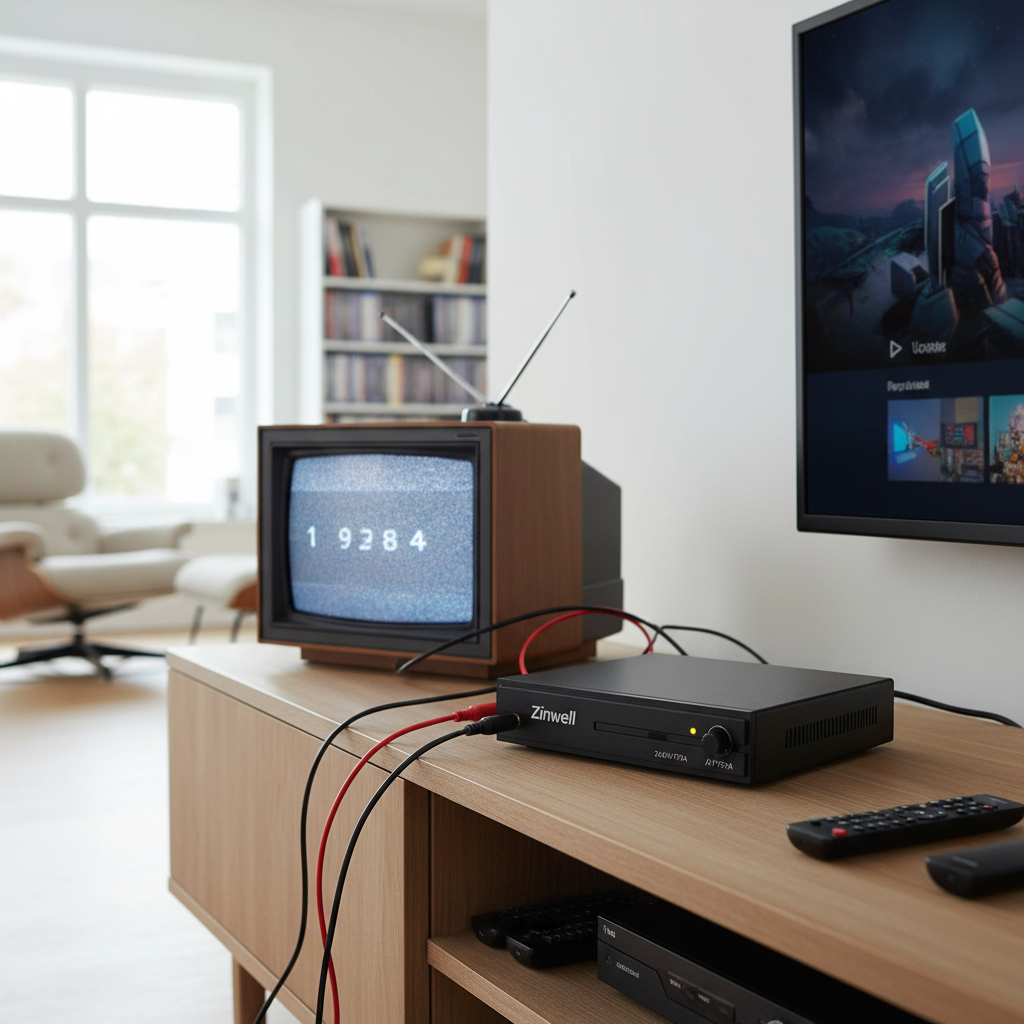
- Connect Your Antenna: First, connect your over-the-air antenna to the “ANT IN” (RF Input) port on the back of the ZAT-970A.
- Connect to Your Television:
- For RCA inputs: Use RCA cables (red, white, yellow) to connect the “AUDIO L/R” and “VIDEO” output ports on the ZAT-970A to the corresponding input ports on your analog TV.
- For RF input (coaxial): Connect a coaxial cable from the “TO TV” (RF Output) port on the ZAT-970A to the antenna input on your television. You will then need to select either Channel 3 or Channel 4 on your TV, typically via a slide switch on the converter box or a setting in the menu.
- Power On: Plug in the ZAT-970A and your television, then power both devices on.
- Initial Setup: The unit will guide you through a quick setup process, usually involving language selection (English, French, Spanish) and time zone.
- Channel Scan: The ZAT-970A will automatically scan for available digital channels. This process can take several minutes. Once complete, you should be able to browse and watch the received digital broadcasts.
Tips for Optimizing and Maintaining Your Zinwell ZAT-970A
To get the best experience from your Zinwell ZAT-970A and ensure its longevity, consider these tips:
- Antenna Placement for Optimal Reception: Signal strength is crucial for digital TV. Experiment with your antenna’s placement, ideally positioning it higher or near a window, and perform multiple channel scans. For weaker signal areas, an outdoor antenna or a high-quality amplified indoor antenna can make a significant difference.
- Troubleshooting Signal Issues: If you experience pixelation or lost channels, first check your antenna connection. Try rescanning channels, especially after moving the antenna or if broadcasters change frequencies.
- Utilizing Programmable Timers: To record programs, consult the manual for detailed instructions on setting the 8 programmable timers. This feature is particularly useful for VCR users. Ensure the unit’s clock is accurate; some older reports indicated it might reset after power outages, so consider a simple UPS if reliable recording is paramount.
- Addressing Audio/Video Sync: Occasionally, some users report audio losing synchronization with the video, especially during momentary signal fade or multipath interference. Often, simply changing the channel and then returning to it can resolve this issue.
- Remote Control Care: While the remote may feel lightweight, treat it with care. Keep it clean and avoid dropping it. If buttons start to stick, a gentle cleaning around the buttons might help.
- Software Updates: Check the Zinwell support website (if still active) periodically for any available software updates, though for older models, these might be rare. Firmware updates can sometimes resolve minor bugs or improve performance.
- Cleaning and Storage: Keep the unit in a well-ventilated area, free from dust. Gently clean the exterior with a soft, dry cloth. Avoid exposing it to extreme temperatures or humidity.
“Choosing the right Digital Receiver means enjoying your favorite TV channels with the best possible picture and sound quality.”
Conclusion
The Zinwell ZAT-970A Digital Tuner stands as a testament to practical engineering, effectively bridging the gap between legacy analog televisions and modern digital broadcasts. Its ease of use, robust feature set—including valuable programmable timers and comprehensive parental controls—and affordable price point make it an excellent choice for a specific niche: those who wish to extend the life of their analog TVs or need a reliable, no-frills solution for free over-the-air digital channels. While it may not offer cutting-edge HD resolutions or advanced smart features, its ability to reliably convert ATSC signals with Dolby AC-3 audio, coupled with its compact design, provides significant value. For many, it’s more than just a converter box; it’s a gateway to continued television enjoyment without a costly upgrade. Have you considered how a simple digital tuner could revitalize an old TV set in your home?
Frequently Asked Questions
Can the Zinwell ZAT-970A record TV shows?
Yes, the Zinwell ZAT-970A features 8 programmable timers, allowing you to schedule recordings of digital broadcast programs to an external recording device like a VCR or DVD recorder. This functionality makes it highly convenient for users looking to capture their favorite shows.
Is the Zinwell ZAT-970A compatible with all analog TVs?
The Zinwell ZAT-970A is designed for broad compatibility with analog TVs, offering both RF (coaxial) and RCA composite video/audio outputs. If your analog TV has either of these input types, you should be able to connect the converter box.
Do I need an internet connection for the Zinwell ZAT-970A to work?
No, the Zinwell ZAT-970A operates by receiving over-the-air digital broadcast signals via an antenna. It does not require an internet connection for its primary function of converting and displaying digital TV channels.
What is the analog pass-through feature on the ZAT-970A?
The analog pass-through feature allows the converter box to receive signals from very low-power analog television stations that were not required to switch to digital broadcasts. This provides flexibility for users who might still have access to such legacy analog channels.
How do I improve signal reception with my Zinwell ZAT-970A?
Improving signal reception typically involves optimizing your antenna setup. Try repositioning your antenna to a higher location, closer to a window, or even consider an outdoor or amplified antenna if you are in a weak signal area. After adjusting, perform a new channel scan.