Are you a satellite TV enthusiast looking to bring high-definition channels directly to your computer screen? For years, PC tuners have offered a compelling solution, transforming your desktop or laptop into a powerful media center. Among the notable devices in this niche, the Skystar USB 2 HD CI has carved out a reputation, particularly for those delving into DVB-S2 satellite reception with professional-grade flexibility.
This review dives deep into the Skystar USB 2 HD CI, a classic PC tuner that offers robust features for advanced users. We’ll explore its capabilities, installation nuances, performance, and overall value, helping you decide if this device, or a similar PC tuner, is the right addition to your home entertainment setup. Get ready to explore the world of digital satellite television with unparalleled detail and clarity.
What is the Skystar USB 2 HD CI?
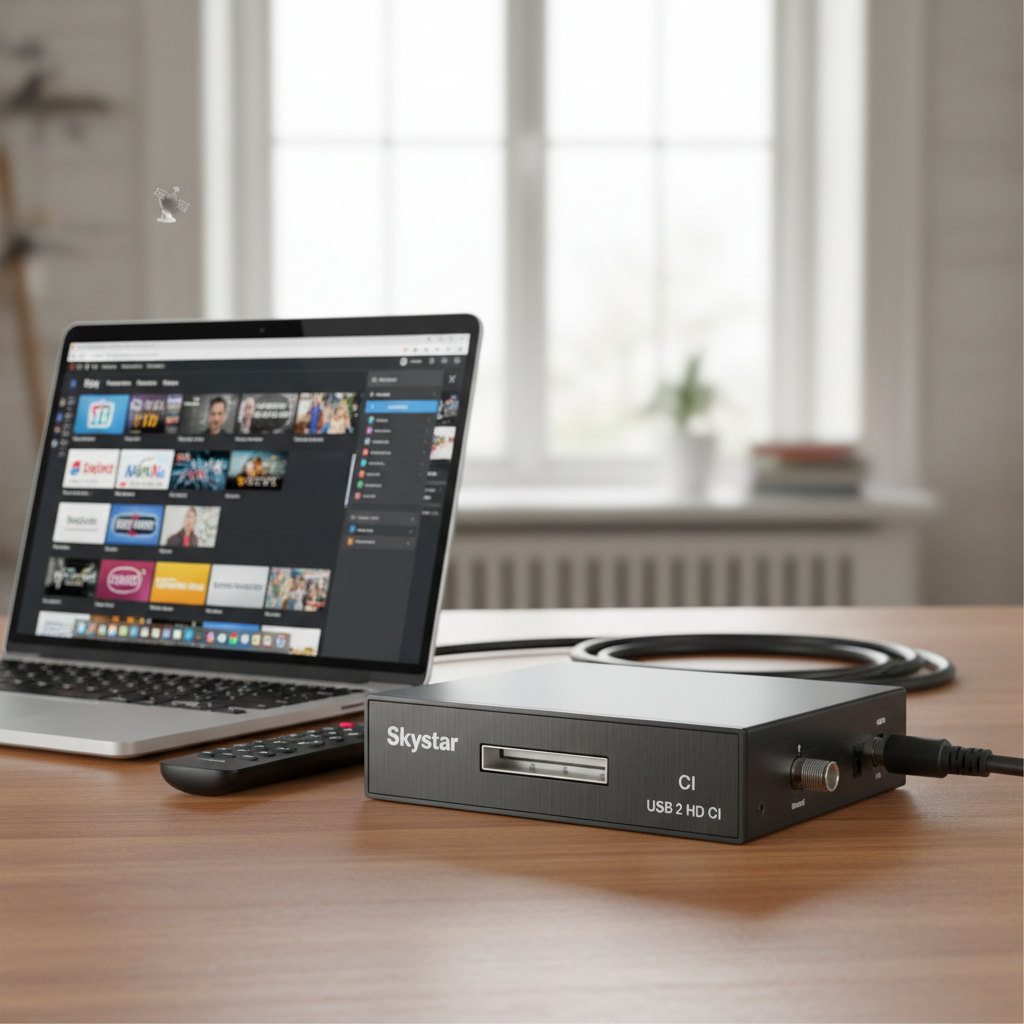
The Skystar USB 2 HD CI is a sophisticated external digital satellite television (DVB-S2) tuner designed to connect to your personal computer via a USB 2.0 interface. Unlike standard set-top boxes, a PC tuner like the Skystar offloads the decoding and viewing tasks to your computer’s software, offering a highly customizable and flexible viewing experience. Essentially, it transforms your PC into a versatile digital satellite receiver, capable of receiving a vast array of free-to-air and encrypted satellite broadcasts.
This particular model stands out due to its “HD” capability, supporting high-definition DVB-S2 signals, and critically, its “CI” (Common Interface) slot. The CI slot is a key feature for advanced users, allowing the insertion of a Conditional Access Module (CAM) and a smartcard to decrypt subscription-based satellite channels. This elevates the Skystar USB 2 HD CI beyond basic free-to-air tuners, providing a pathway to premium content directly on your PC.
Types of Digital Receivers and Where the Skystar Fits In
Digital receivers encompass a broad category of devices, each designed for specific broadcast standards and user needs. The Skystar USB 2 HD CI is a prime example of a PC-based digital satellite receiver.
- DVB-T2 Receivers: These are terrestrial digital TV tuners, primarily used for over-the-air broadcasts received via an antenna. They are common for receiving local channels without a cable or satellite subscription.
- DVB-S2 Receivers: These are satellite digital TV tuners, designed to receive signals from geostationary satellites via a dish antenna. They offer access to a multitude of channels, often transcending geographical boundaries. The Skystar USB 2 HD CI falls squarely into this category, focusing on advanced DVB-S2 reception.
- DVB-C Receivers: These are cable digital TV tuners, used to receive digital television signals delivered through coaxial cables by cable TV providers.
|
Our Picks for the Best Digital receiver in 2026
As an Amazon Associate I earn from qualifying purchases.
|
||
| Num | Product | Action |
|---|---|---|
| 1 | Denon AVR-X1700H 7.2 Channel AV Receiver - 80W/Channel, Advanced 8K HDMI Video w/eARC, Dolby Atmos, DTS:X, Built-in HEOS, Amazon Alexa Voice Control |

|
| 2 | YAMAHA R-S202BL Stereo Receiver |
|
| 3 | Daakro AK45 Stereo Audio Amplifier,300W Home 2 Channel Wireless Bluetooth 5.0 Power Amplifier System, Home Amplifiers FM Radio, USB, SD Card, with Remote Control Home Theater Audio Stereo System |
|
| 4 | Pyle Home Stereo Receiver with Bluetooth - 4 Channel Amplifier, 800 Watt Max, USB-A Input w MP3 Player, Easy Karaoke Setup with Mic Vol, Reverb and Delay, RCA in/Out, SD Card, FM Radio - PDA77BU |
|
| 5 | Sony STRDH190 2-ch Home Stereo Receiver with Phono Inputs & Bluetooth Black |
|
| 6 | Donner Stereo Audio Amplifier, 600W Peak 2 Channel Receiver with Bluetooth 5.3, Phono, Optical, Coaxial, USB, FM, 2 Mic-in, Aux, RCA Input for Home, Karaoke, Theater Speakers, MAMP2 |
|
| 7 | Pyle 200W Stereo Power Amplifier with Bluetooth - Dual Channel Audio Receiver - LED Display - RCA - USB - SD - MIC IN - FM Radio - AUX Input - Perfect for Home & Computer Audio - PDA29BU.5 |
|
| 8 | Digital TV Converter Box, ATSC Tv Tuner - ZJBOX for Analog HDTV Live 1080P with Recording&Playback,HDMI Output, Timer Setting Tuner Function Digital Channel Free |
|
| 9 | Pyle 4-Channel Audio Amplifier with Bluetooth - Home Stereo Receiver w/ 500W Max Power - Commercial or Karaoke - Dual Mic Input with Echo, Vol, Talk-Over - AUX In - Sub Out - USB-A MP3 Player, AM/FM |
|
| 10 | Denon AVR-S570BT AV Receiver 5.2 Channel 8K Ultra HD Audio & Video, Stereo Receivers, Denon AVR Wireless Streaming Bluetooth, (4) 8K HDMI Inputs, eARC, HD Setup Assistant |
|
The Skystar USB 2 HD CI’s integration with a PC allows for significant advantages, such as leveraging your computer’s processing power for advanced media playback, recording capabilities, and integration with home theater PC (HTPC) software.
Key Considerations When Choosing a PC Satellite Tuner
Selecting the right PC tuner, especially one as specialized as the Skystar USB 2 HD CI, involves evaluating several crucial factors. These considerations ensure the device aligns with your technical setup, viewing habits, and desired level of control.
Compatibility and Technical Specifications
When investing in a PC tuner, compatibility is paramount. The Skystar USB 2 HD CI, like any sophisticated hardware, demands attention to its technical requirements to ensure seamless operation and optimal performance.
- Broadcast Standard (DVB-S2): The Skystar USB 2 HD CI is specifically designed for DVB-S2, the second generation of the Digital Video Broadcasting Satellite standard, which supports high-definition broadcasts and offers improved efficiency over its predecessor, DVB-S. Ensure your satellite dish and LNB (Low-Noise Block Downconverter) are compatible with DVB-S2 signals to fully utilize the tuner’s capabilities.
- Resolution Support (SD, HD, Full HD): As its name suggests, the Skystar USB 2 HD CI is capable of receiving and processing HD signals, typically up to 1080i or 1080p, depending on the broadcast and your viewing software. This ensures a crisp, clear picture quality for supported channels. While 4K (UHD) wasn’t a common standard when this model was prevalent, it still delivers excellent Full HD performance.
- Connectivity Ports (USB 2.0, F-Type, CI Slot): The device connects to your PC via a USB 2.0 port, which provides sufficient bandwidth for HD video streams. It features a standard F-type connector for your satellite dish’s coaxial cable. The integrated CI slot is a critical component, allowing you to insert a compatible CAM (Conditional Access Module) with your subscription card to decrypt pay-TV channels. This modular approach offers flexibility for users with various encryption standards.
- Operating System and Software Compatibility: The Skystar USB 2 HD CI typically supports Windows operating systems (XP, Vista, 7, 8, 10). Driver availability and compatibility with various HTPC software (e.g., DVBViewer, ProgDVB, MediaPortal) are crucial. While community drivers might exist for Linux, official support can be more limited, a common challenge with older niche hardware.
Features and Functionality
Beyond basic reception, the Skystar USB 2 HD CI offers a suite of features that enhance the PC satellite TV experience, transforming your computer into a fully-fledged DVR and media hub.
- Program Recording: One of the most compelling advantages of a PC tuner is its ability to record live TV directly to your computer’s hard drive. Coupled with appropriate software, the Skystar USB 2 HD CI allows for scheduled recordings, series recording, and even simultaneous recording of multiple channels (if supported by the software and tuner configuration, e.g., dual tuners or very efficient single tuner scheduling).
- Timeshifting: Never miss a moment with timeshifting. This feature allows you to pause live television, rewind to catch a missed segment, and fast-forward through commercials, all while the program continues to record in the background.
- Electronic Program Guide (EPG): Most HTPC software compatible with the Skystar USB 2 HD CI integrates a comprehensive EPG, providing a detailed schedule of current and upcoming programs. This makes browsing channels and setting recordings intuitive and user-friendly.
- Internet Application Integration (Software Dependent): While the Skystar itself is a tuner, the PC software it integrates with can offer extended functionalities, such as streaming to other devices on your network, accessing online databases for program information, or even integrating with other media streaming applications like YouTube or Netflix (though these are functions of the PC, not the tuner directly). This synergistic relationship empowers a highly customized entertainment hub.
Brand Reputation and Value
When considering specialized hardware like the Skystar USB 2 HD CI, the brand’s reputation and the overall value proposition are important, especially given that many such devices are now found on the secondary market.
- TechniSat Brand: TechniSat, the manufacturer of the Skystar series, is a well-regarded German company known for its quality digital reception products. Their reputation generally stands for reliable hardware, though software and driver support for older models can sometimes dwindle over time.
- Value for Money: At its original price point, the Skystar USB 2 HD CI offered excellent value for advanced users needing DVB-S2 and CI capabilities. Today, its value is often in its availability for a lower price on the used market, making it an attractive option for enthusiasts or those on a budget who are comfortable with potential driver and software setup challenges. It provides a robust platform for experimentation and custom HTPC builds.
Comparing PC Satellite Tuners: The Skystar USB 2 HD CI in Context
The PC tuner market, while niche, has seen various models emerge over the years. The Skystar USB 2 HD CI holds its ground as a powerful, feature-rich option, especially when compared to simpler, free-to-air only tuners or more modern, albeit often internal, PCIe cards.
| Feature | Skystar USB 2 HD CI (Example) | Basic USB DVB-S2 Tuner (Generic) | Internal PCIe DVB-S2 Card (High-End) |
|---|---|---|---|
| Brand | TechniSat (Reputable) | Various, often lesser-known | TechniSat, Digital Devices, TBS (Premium Brands) |
| Form Factor | External USB (Easy portability) | External USB (Very portable, often smaller) | Internal PCIe (Fixed, higher bandwidth) |
| Broadcast Std. | DVB-S2 (HD capable) | DVB-S2 (HD capable) | DVB-S2 (Often with multiple tuners, HD/UHD ready) |
| Resolution | HD (Up to 1080p via software) | HD (Up to 1080p via software) | HD/UHD (often 4K capable, depending on model) |
| CI Slot | YES (Key feature for encrypted channels) | NO (Typically free-to-air only) | YES (Often multiple CI slots) |
| Recording | Excellent (Software dependent) | Good (Software dependent) | Excellent (Often with hardware transcoding, multi-channel) |
| Timeshifting | YES (Software dependent) | YES (Software dependent) | YES (Software dependent) |
| OS Support | Windows (Good), Linux (Community/Limited) | Windows (Good), Linux (Varied) | Windows (Excellent), Linux (Often robust official support) |
| Price (Original) | Mid-to-High Range | Low | High |
| Pros | CI slot, reputable brand, stable performance, USB flexibility | Affordable, simple for FTA, highly portable | Superior performance, multiple tuners, dedicated hardware |
| Cons | Older model, USB 2.0 limits, driver hunt for newer OS | No CI slot, often less robust, basic features | Requires PCIe slot, less portable, more complex installation |
The Skystar USB 2 HD CI shines with its external USB form factor combined with the critical CI slot. Many basic USB tuners forego the CI functionality, limiting them to free-to-air content. While internal PCIe cards often offer superior performance, more tuners, and occasionally dedicated hardware processing, they lack the portability and ease of installation of a USB device. The Skystar offers a compelling middle ground for users who need the CI functionality without committing to an internal card.
A Practical Guide to Acquiring a Skystar USB 2 HD CI
While the Skystar USB 2 HD CI might not be a readily available new product in mainstream electronics stores, it remains a sought-after item in the enthusiast community. The acquisition process today often involves a slightly different approach than buying a brand-new gadget.
- Define Your Needs: Before searching, re-confirm your primary goal. Do you specifically need a DVB-S2 tuner with a CI slot for encrypted channels, or would a simpler free-to-air tuner suffice? The Skystar excels in the former.
- Budget Allocation: Set a realistic budget. Given its age, a Skystar USB 2 HD CI can often be found at a reasonable price on the used market, offering great value for its capabilities.
- Information Gathering: Utilize online forums (e.g., DVB-S2 forums, HTPC communities) to gather current insights on driver compatibility for modern operating systems and recommended software pairings. This will save you significant time during setup.
- Review and Comparison: If you find multiple listings, compare conditions, included accessories (e.g., remote control, software CD, although drivers will likely be downloaded), and seller reputation. Look for images that clearly show the device’s condition.
- Acquisition Channels:
- Online Marketplaces: Websites like eBay, specialized electronics forums, or regional classifieds are your best bet for finding a used Skystar USB 2 HD CI.
- Niche HTPC or Satellite Forums: Enthusiast communities often have “for sale” sections where members trade or sell equipment. This can be a reliable source as sellers are often knowledgeable.
- Thorough Inspection Before Purchase (if possible): If buying locally, inspect the physical condition of the tuner, USB port, and F-connector. If buying online, rely on detailed photos and a trustworthy seller. Inquire about its last operational use and any known issues.
Maximizing Your Skystar USB 2 HD CI Experience: Tips for Use and Maintenance
Once you’ve acquired your Skystar USB 2 HD CI, proper setup, usage, and maintenance are key to a stable and enjoyable satellite TV experience on your PC.
- Connecting Your Digital Receiver to TV/PC:
- Satellite Dish Connection: Connect your satellite dish’s coaxial cable to the F-type input on the Skystar USB 2 HD CI. Ensure the connection is secure.
- USB Connection: Plug the Skystar USB 2 HD CI into an available USB 2.0 port on your computer. While it might work on a USB 3.0 port, USB 2.0 is the native standard.
- Software Installation: Install the necessary drivers first, usually available from the TechniSat website or community forums. Then, install your chosen HTPC software (e.g., DVBViewer, ProgDVB, MediaPortal, Kodi with DVB add-ons).
- CI Module (Optional): If you plan to watch encrypted channels, carefully insert your Conditional Access Module (CAM) into the CI slot, followed by your smartcard.
- Scanning for Channels:
- Software Configuration: Within your HTPC software, navigate to the tuner or hardware settings and select the Skystar USB 2 HD CI.
- Satellite Setup: Configure your satellite dish’s parameters (e.g., satellite position, LNB type, DiSEqC settings) according to your setup.
- Channel Scan: Initiate an automatic channel scan (or manual scan for specific transponders) to discover available free-to-air and encrypted channels.
- Utilizing Features:
- Recording: Most HTPC software offers intuitive recording options. You can schedule recordings via the EPG, set up series recordings, or record manually. Ensure your storage drive has ample space.
- Timeshifting: Activate timeshifting within your software. This feature typically caches live TV to your hard drive, allowing you to pause, rewind, and fast-forward.
- EPG: Familiarize yourself with the Electronic Program Guide. It’s your gateway to exploring channels, program information, and scheduling.
- Software Updates:
- Drivers: Regularly check TechniSat’s official website or reputable community forums for updated drivers, especially if you upgrade your operating system. Updated drivers can improve stability and performance.
- HTPC Software: Keep your chosen HTPC software updated to benefit from bug fixes, new features, and improved compatibility.
- Cleaning and Maintenance:
- Physical Cleaning: Periodically wipe down the external casing with a soft, dry cloth to prevent dust buildup.
- Ventilation: Ensure the device is placed in a well-ventilated area, especially if used for extended periods, to prevent overheating. Avoid blocking any vents.
- Cable Integrity: Check your coaxial and USB cables for any damage or loose connections, which can lead to signal loss or intermittent performance.
“The Skystar USB 2 HD CI offers a unique blend of flexibility and power for satellite enthusiasts, effectively transforming any capable PC into a robust digital video recorder with access to a world of satellite content.” – Dr. Elena Petrova, Digital Media Systems Researcher
Conclusion
The Skystar USB 2 HD CI, while an older model, continues to be a highly capable and respected PC satellite tuner, particularly for those who value the flexibility of a Common Interface slot and the power of PC-based media management. Its ability to handle DVB-S2 high-definition signals, combined with robust recording and timeshifting functionalities (via accompanying software), makes it an excellent choice for converting your personal computer into a versatile satellite TV hub. For experienced users willing to navigate driver and software setups, it offers significant value, especially on the secondary market.
Whether you’re looking to explore the vast array of free-to-air satellite channels or delve into encrypted content with your own CAM, the Skystar USB 2 HD CI provides a solid foundation. Its thoughtful design and the extensive community support around it ensure that it remains a relevant tool for discerning satellite television enthusiasts. Are you ready to take control of your satellite viewing experience like never before?
Frequently Asked Questions
What is the main advantage of a PC tuner like the Skystar USB 2 HD CI over a standalone satellite receiver?
The primary advantage is the unparalleled flexibility and customization. A PC tuner leverages your computer’s processing power, storage, and software ecosystem for advanced recording, media management, network streaming, and integration with other HTPC functionalities, offering a far more dynamic experience than most standalone receivers.
Can I use the Skystar USB 2 HD CI on a Mac or Linux system?
While the Skystar USB 2 HD CI was primarily designed for Windows, community-driven efforts have provided drivers and software solutions for Linux users. Official Mac support is generally not available, making it less straightforward for Apple users. Always check specific forum discussions for the most up-to-date compatibility information.
What kind of software do I need to use with the Skystar USB 2 HD CI?
You will need specific HTPC (Home Theater PC) software that supports DVB-S2 tuners. Popular choices include DVBViewer, ProgDVB, MediaPortal, and even Kodi with appropriate DVB add-ons. These applications handle channel scanning, viewing, recording, and EPG display.
Is the Skystar USB 2 HD CI still a good option in 2026?
For enthusiasts who specifically need a DVB-S2 tuner with a CI slot for PC, and are comfortable with potentially sourcing drivers from community forums and setting up HTPC software, the Skystar USB 2 HD CI remains a viable and cost-effective option, particularly when acquired used. Its core functionality is still highly relevant for satellite reception.